23
1. Temperature controls: Gives a readout of the current print head and bed temperatures, allows you to set
the temperatures manually, and also shows a chart with temperature history.
2. Tab selection box: Toggle between the various tabs with this section
3. Macro box: Allows you to use the macros. Does the same thing as the “Macros” menu on the Control
Panel.
Note: The temperature readouts/controls are common across all the tabs.
The other elements on the page are less useful in normal use.
6.2.2 Print Status Tab
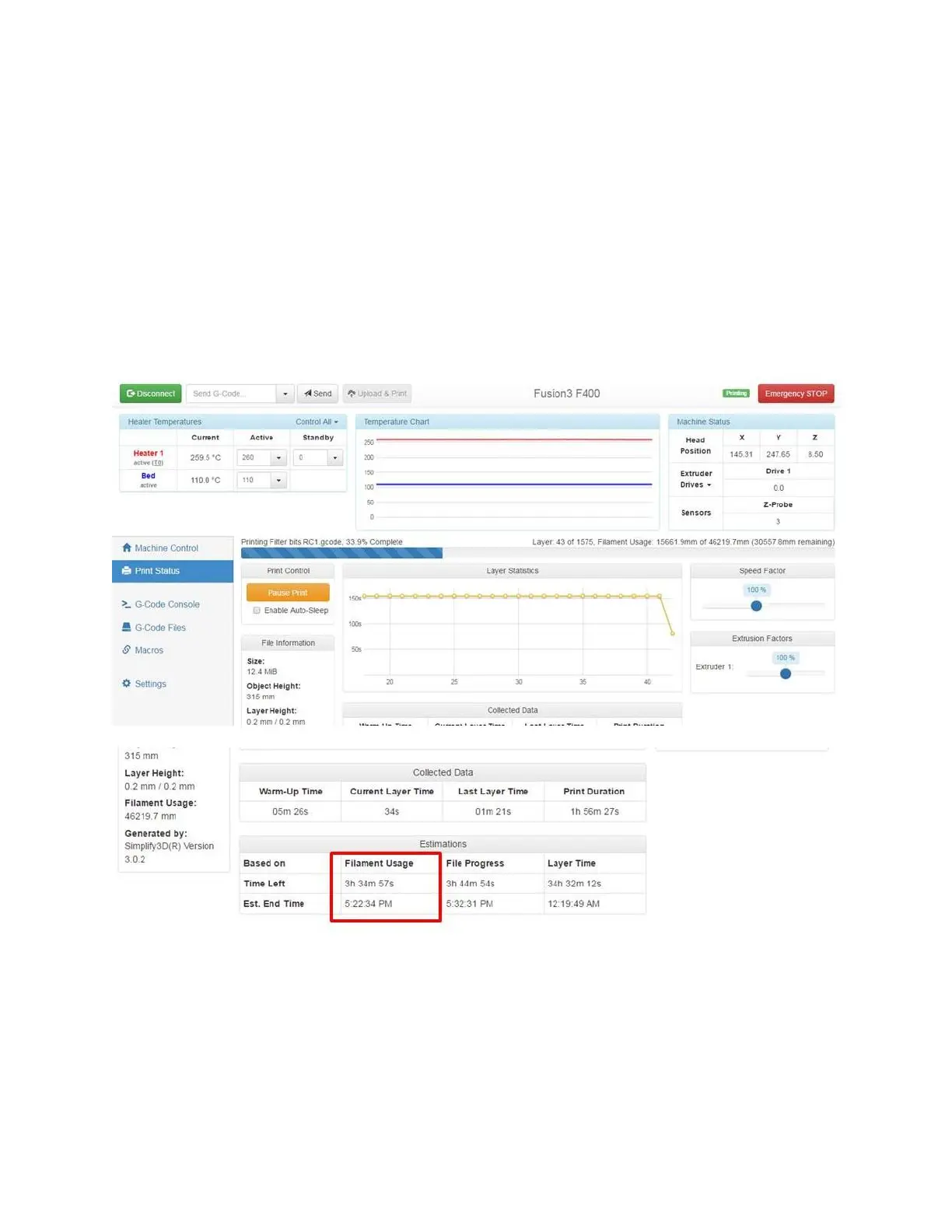
This tab gives you information on the print job in progress.
This page is pretty self-explanatory. It will give you 3 ways of estimating when the print will be done; we’ve found
that the “Filament Usage” one is the most accurate (that’s the one shown on the Control Panel).
6.2.3 Gcode Files Tab
This tab allows you to view and manage the .GCODE files that are on the SD card. You can also upload new
.GCODE files to the printer.



 To Next Page