28
For your F400, we’ve built a separate process for each material. The base settings in each process are set up to
work for most prints. So when you’re getting started, you should just need to select the right material profile and
click “Prepare to Print”.
Fusion3’s naming convention for all Simplify profiles is Print erModel_Material. So for example, F400_PLA.
7.3.1 Editing a Process
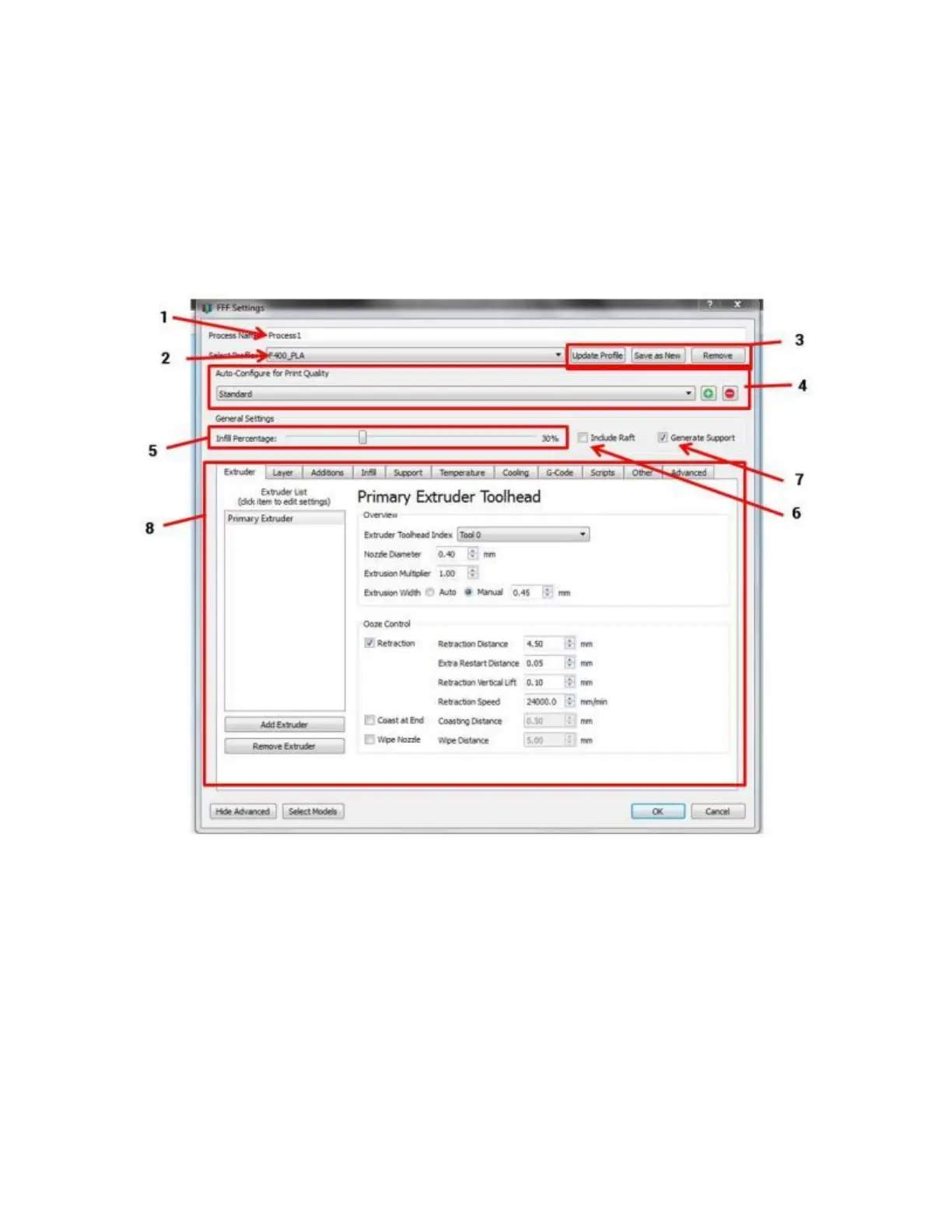
Double click on a process in the Process List to open the Process Settings Dialog box:
1. Process name (meaningless; you can ignore it)
2. Profile selection drop-down menu (select other profiles here)
3. Buttons to manipulate profiles; see below for more info
4. Quality presets (only applies to some profiles)
5. Sparse infill % slider
6. Raft toggle (leave this off 99% of the time; the F400 rarely needs rafts)
7. Support generation toggle (leave this on unless you know your part does not need support)
8. Advanced settings



 To Next Page