35
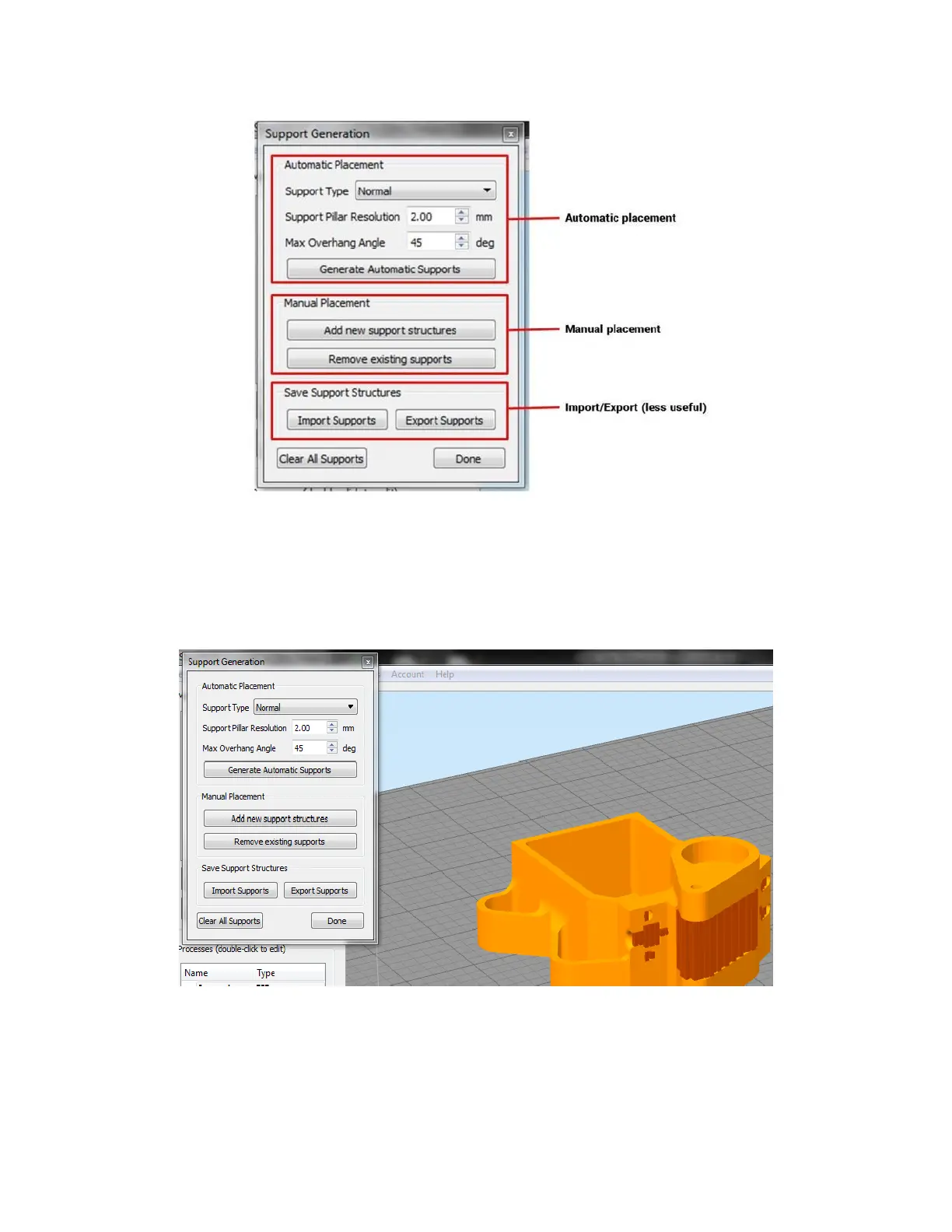
Automatic placement; these controls are duplicates of what’s on the Support tab. Click “generate
automatic supports” to see a preview of where Simplify thinks support is needed.
Manual placement; Allows you to manually add or remove support by using your mouse.
Import/Export; allows you to save a support structure as its own model. This is not as useful as many
times it’s easier to just save everything as a .factory file.
In many cases, using the automatic placement is a good starting point, which can then be fine-tuned by hand to
add or remove supports as needed.
The support structure preview is made up of box columns. This is turned into the zigzag pattern when you slice the
part.



 To Next Page