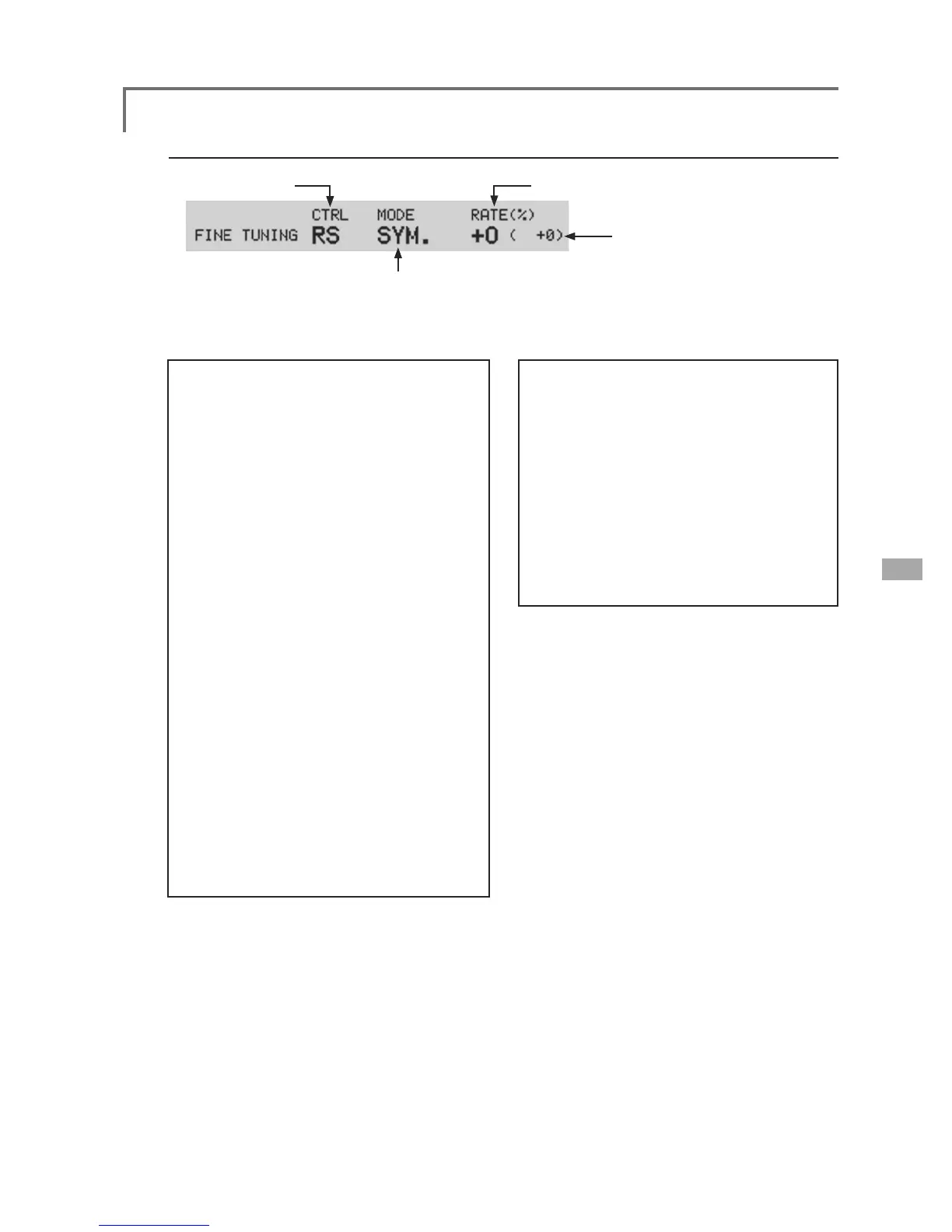
2SHUDWLRQVUHODWHGWR¿QHWXQLQJ95
ŏ95VHOHFWLRQ ŏ5DWHDGMXVWPHQW
(Fine tuning VR operation position)
ŏ2SHUDWLRQPRGHVHOHFWLRQ
*The operation modes which can be
selected depend on the function.
[Fine tuning VR operation mode]
[LIN.] 0L[LQJUDWHDWFHQWHURI95
:KHQWKH95LVWXUQHGFORFNZLVHDQG
counterclockwise, the mixing rate
increases and decreases, respectively.
[ATL+]
0L[LQJUDWHDWOHIWHQGRI95
:KHQWKH95LVWXUQHGWKHPL[LQJUDWH
increases.
[ATL-] 0L[LQJUDWHDWULJKWHQGRI95
:KHQWKH95LVWXUQHGWKHPL[LQJUDWH
increases.
[SYM.]
:KHQWKH95LVWXUQHGWRWKHOHIWRU
right of the neutral position, the mixing
rate increases.
[Setting method]
1. Control selection
Use the EDIT dial to move the cursor
(reverse-video) to the [CTRL] item and push
the EDIT button to call the selection screen.
Move to the control you want to set by
turning the EDIT dial to the left or right and
push the EDIT button.
2. Mode selection
Use the EDIT dial to move the cursor to the
[MODE] item and push the EDIT button to
switch to the data input mode.
Turn the EDIT dial to the left or right and
switch to the operation mode ([LIN.], [ATL+],
[ATL-], or [SYM.]) corresponding to the set
control and push the EDIT button.
3. Rate adjustment
Move the cursor to the [RATE] item and
push the EDIT button to switch to the data
input mode.
Turn the EDIT dial to the left or right and set
the rate.
Initial value: 0%
Adjustment range: -100%~+100%
(When the EDIT button is pushed for 1 second, the rate is
reset to the initial value.)
Push the EDIT button to end adjustment
and return to the cursol move mode.



 To Next Page