3E2364WeighScaleW810v2UserManual
Page29
Settingupaport
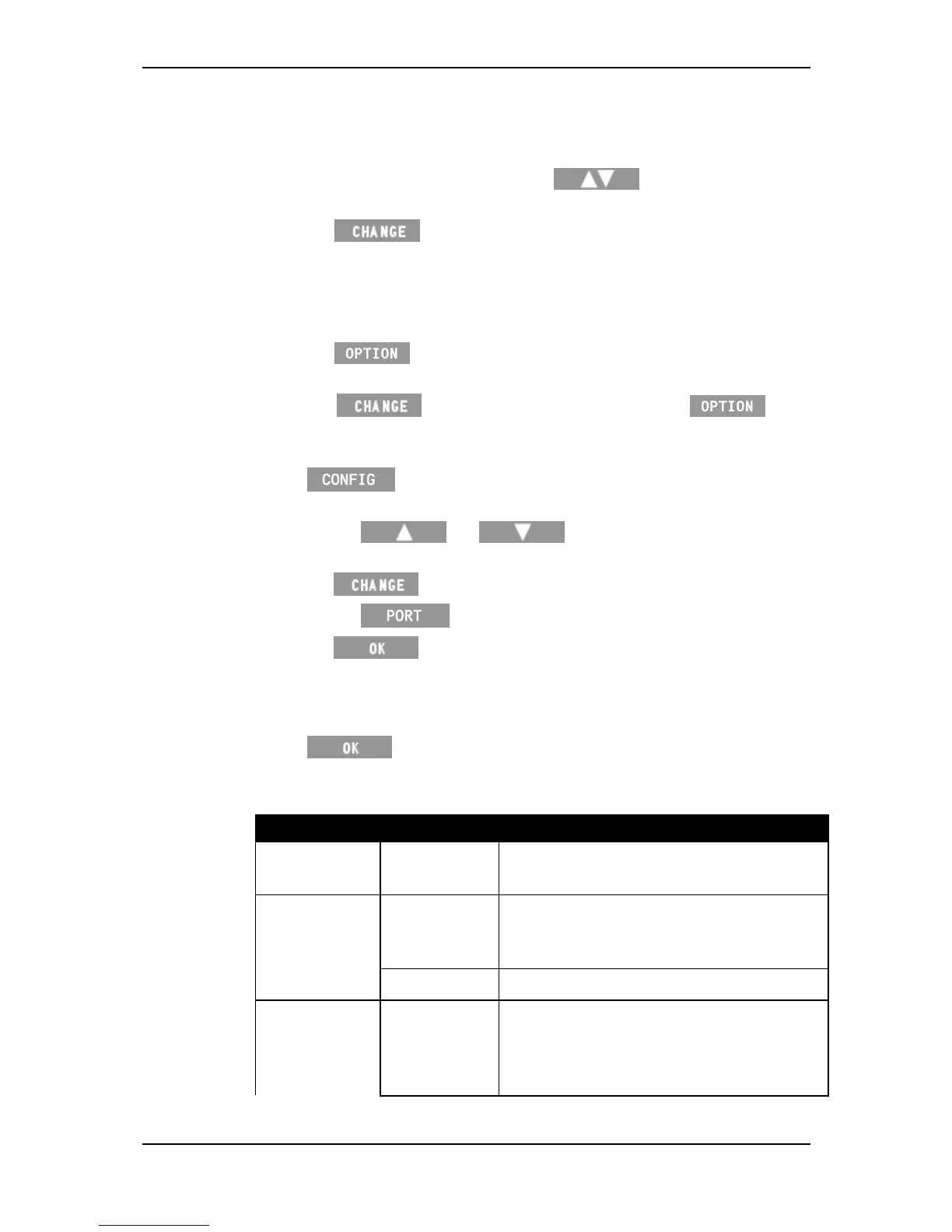
Toselectthedevicetoattachtotheport,completethefollowingsteps:
1. IntheCommunicationsmenu,pressthe softkeytoselectthe
portthedeviceisconnectedto.
2. Pressthe softkeyrepeatedlyuntilthedevicethatisattached
totheportisdisplayed.
Note:Youcannotselectadeviceforoneportifitisalreadyselectedfor
theother.Forexample,youcannotselectComputer‐StandardonPort2
ifitisalreadyselectedonPort1.
3. Pressthe softkeyrepeatedlyuntilthecorrectoptionforthe
selecteddeviceisdisplayed.
E.g.Press toselectDrafter/Sorter,thenpress to
selectthetypeofDrafterthatisconnected,forexample,SheepAuto
Drafter.
4. Press toviewtheadvancedoptionsfortheportsetup.Thisis
notusuallyneededbymostusers.
a) Pressthe or softkeystohighlighttheoption
youwanttochange.
b) Press totogglebetweentheavailableoptions.
c) Pressthe softkeytosetuptheselectablebaudrate.
d) Press tosavethePortsettings.
Note:WhenconnectingtoPort2,anextramenuoption,ExternalPort
Powerwillbedisplayed.SelectONorOFFforthisoptionwhichenables
voltagebetweenPin5(Ground)andPin9(RI‐RingingIndicator).
5. Press
tosavesettingsandreturntotheSetupmenu.
SeethefollowingtableforthePortoptionsavailableonthescale:
Device Options Description
Unused
Theportisunused(thisisthedefault
option).
Computer Standard Enablestheconnectionofacomputer.
Usedtocopyweighingsessionstoorfrom
thecomputer.
ASCII Usedforthirdpartyapplications.
EIDReader‐ Standard Enablestheconnectionofa
Gallagher/StandardElectronicIDstick
readerwithasetbaudrate.SeeUsing
electronictags(p34).



 To Next Page