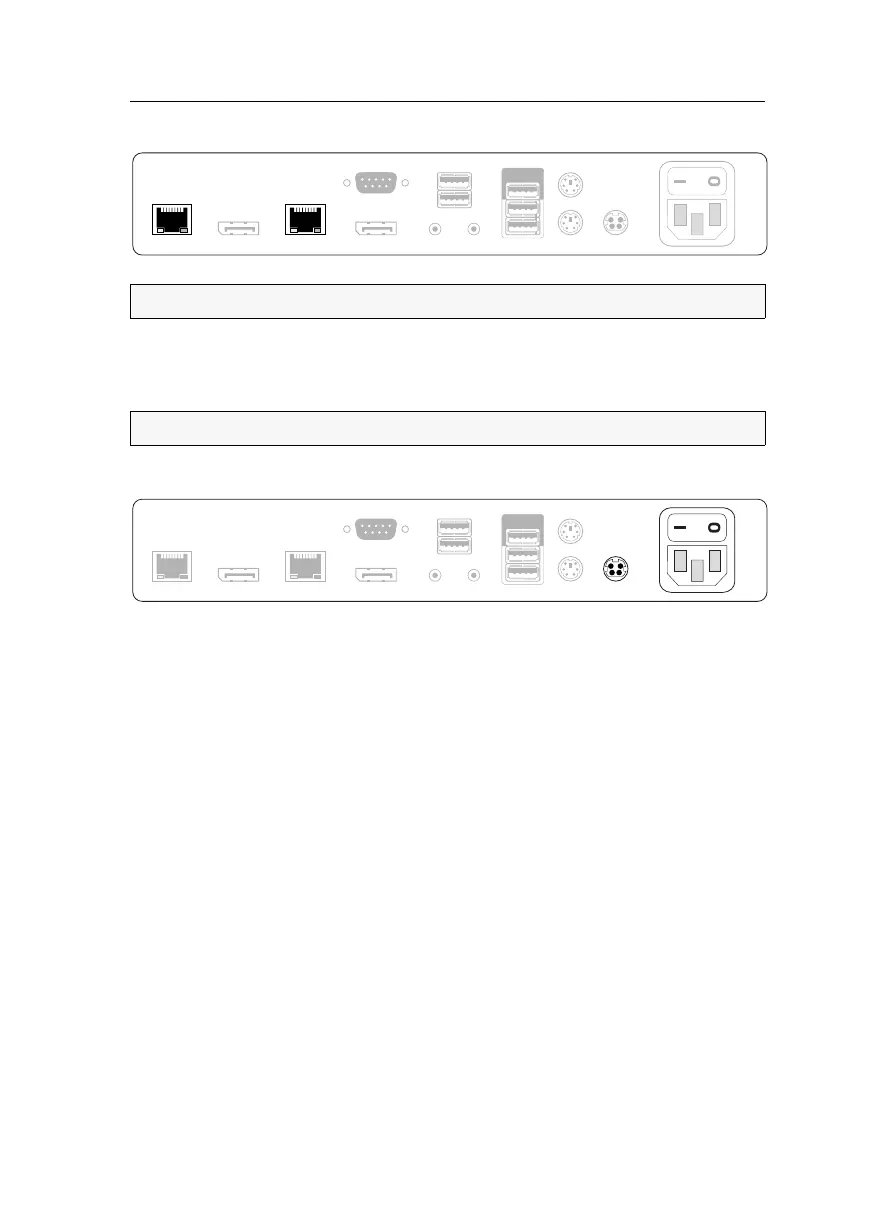
User module »DP-HR-U-CON-MC2«
Target and user modules (DP-HR-U) · 94
Connection to the matrix switch
Transmission 1: Connect this interface to a Dynamic Port (RJ45) of the matrix switch.
Transmission 2: Connect this interface to another Dynamic Port (RJ45) of the matrix
switch.
Power supply
Main Power: Connect the supplied power cable.
Insert the cable’s Schuko plug in a power socket.
Red. Power: Connect the connection cable of a compatible power pack to provide the
user module with a second, redundant power supply.
Startup
Turn on the user module after its installation.
Use the Main Power power pack or a redundant power pack to establish the power
supply:
Turn on the Main Power power pack.
Use an optional power pack to supply the Red. Power socket with power.
NOTE:
Use category 5e (or better) twisted pair cables to connect the devices.
NOTE:
You can also connect the target module directly to a compatible target module.
Keyb./Mouse
Generic
Main Power
Micro In
Speaker
Red. Power
Mouse
Keyb.
Transmission 2 Transmission 1
LED Out
DisplayPort Out 2 DisplayPort Out 1
USB Devices
Generic
Main Power
Red. Power
Micro In
Speaker
Mouse
Keyb.
DisplayPort Out 2
Transmission 2 Transmission 1
LED Out
DisplayPort Out 1 Keyb./Mouse
USB Devices



 To Next Page