Forerunner 310XT Owner’s Manual 3
Getting Started
Step 1: Charge the
Battery
NOTE: To prevent corrosion,
thoroughly dry the charging
contacts and the surrounding area
before charging.
TIP: The Forerunner will
not charge when outside the
temperature range of 32°F–122°F
(0°C–50°C).
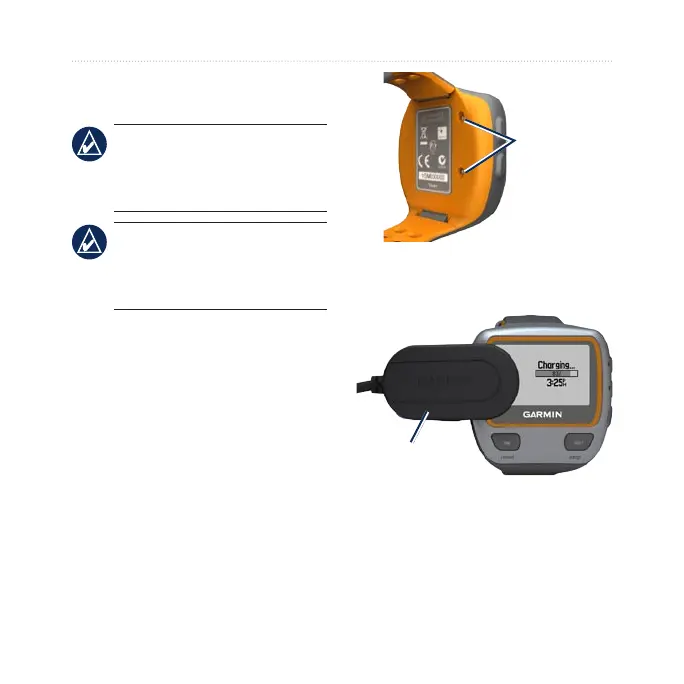
1. Plug the USB connector on the
charging clip cable into the AC
adapter.
2. Plug the AC adapter into a
standard wall outlet.
3. Align the charging clip posts with
the contacts on the back of the
Forerunner.
Contacts
4. Clip the charger securely over the
face of the Forerunner.
Charging
clip
A fully charged battery will last up to
20 hours, depending on usage.















 To Next Page