4 GPSMAP
®
400 Series Owner’s Manual
GettInG Started
Acquiring GPS Satellite Signals
When you turn on the unit, the GPS receiver must collect satellite
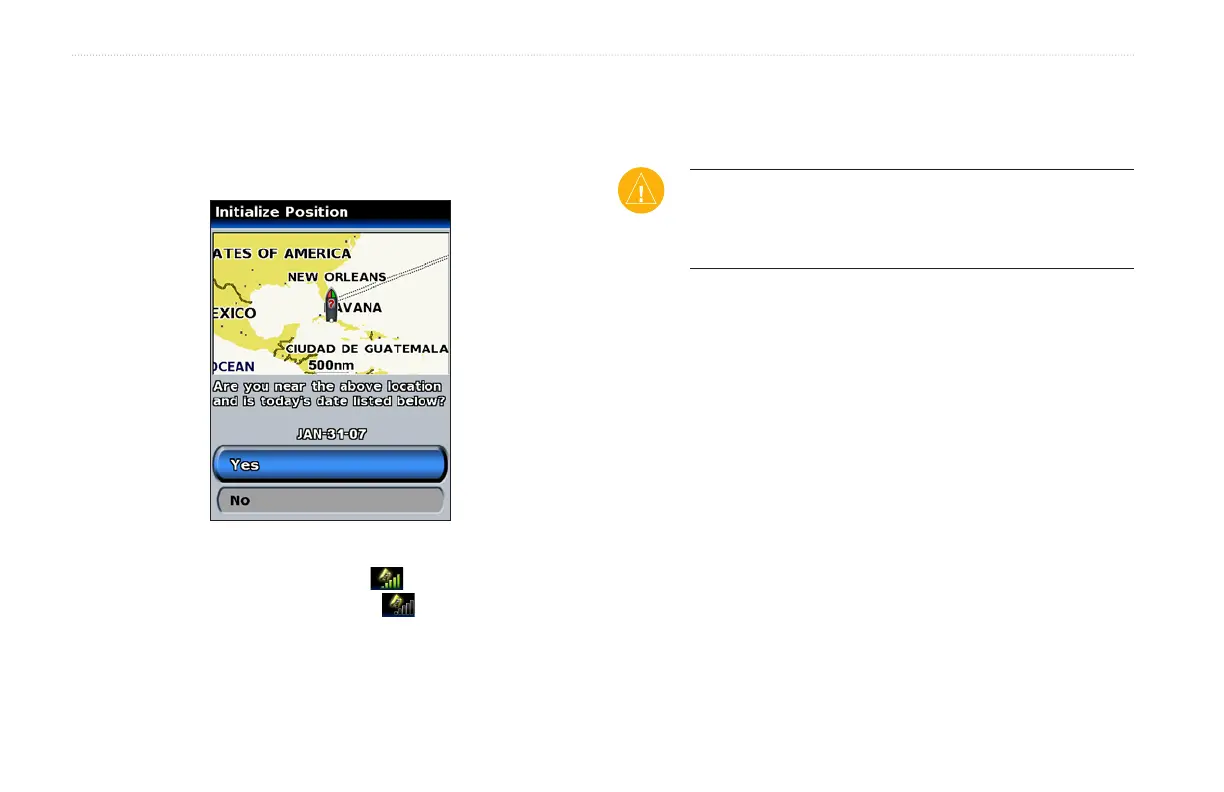
data and establish its current location. If the unit cannot establish a
location, the Initialize Position screen appears.
When the unit acquires satellite signals, the signal strength bars
at the top of the Home screen are green . When the unit loses
satellite signals, the green bars disappear .
For more information about GPS, visit the Garmin Web site at
www.garmin.com/aboutGPS.
Using Simulator Mode
Simulator Mode turns the GPS receiver off for use indoors or for
practice. The unit does not track satellites in Simulator Mode.
CAUTION: Do not try to navigate using Simulator Mode
because the GPS receiver is turned off. Any satellite signal
strength bars shown are only simulations and do not represent
the strength of actual satellite signals.
To turn on Simulator Mode
1. From the Home screen select > System >
Simulator.
2. Select Setup to set speed, track control, and position.













 To Next Page