18 GPSMAP
®
400 Series Owner’s Manual
uSInG chartS
Using the Chart/Sonar Screen
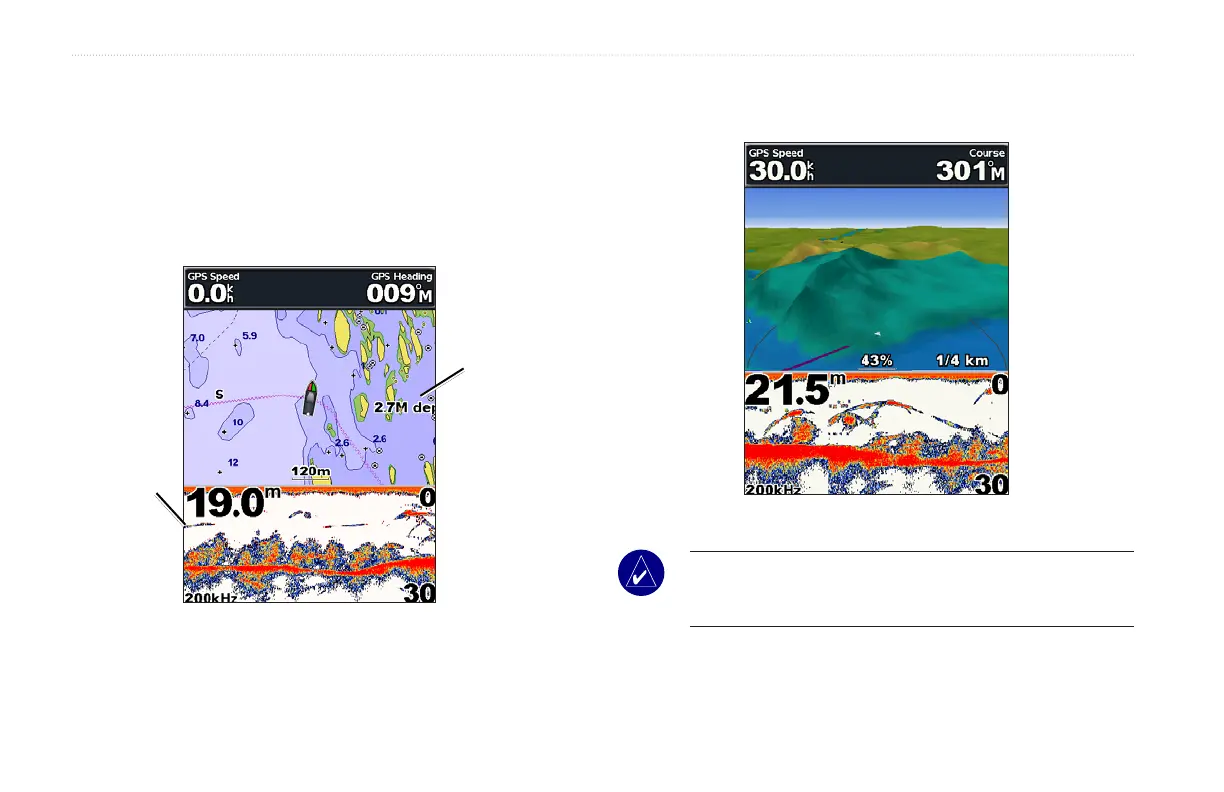
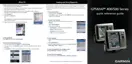
UsetheChart/Sonarscreentoviewthenavigationchart,shing
chart, Mariner’s Eye 3D, or Fish Eye 3D and sonar at the same time.
To view a split chart/sonar screen:
1. From the Home screen, select Chart/Sonar
2. Select the type of chart on the split screen.
Navigation
chart screen
Navigation/Sonar Combination
Sonar
screen
To access additional settings or options for the chart/sonar screen,
press MENU.
Mariner’s Eye 3D/Sonar
NOTE: The Chart/Sonar screen, like the Sonar screen, is only
available when using a sonar capable unit with a transducer
attached.













 To Next Page