8 GPSMAP
®
400 Series Owner’s Manual
uSInG chartS
Navigation Chart Settings
To access additional settings or options for the navigation chart,
press MENU.
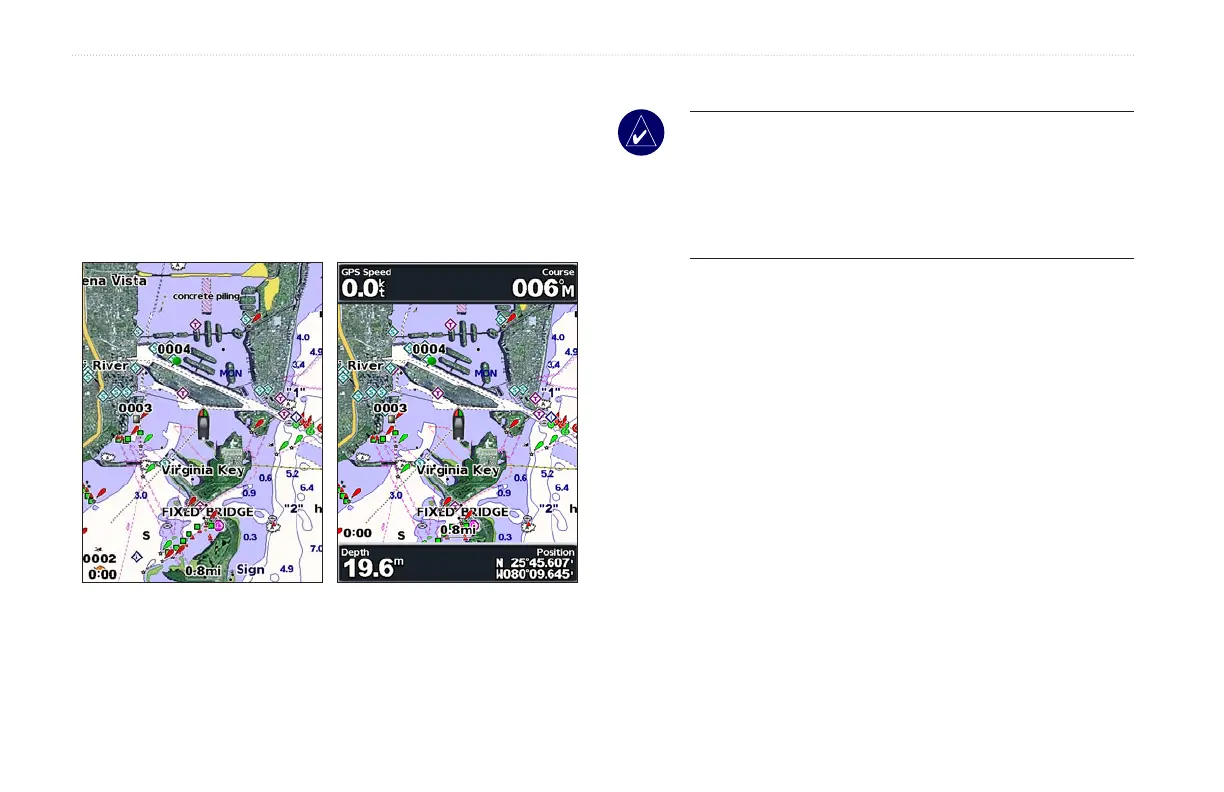
Full Screen Map (Show Numbers)—viewthenavigationorshing
chart in full-screen mode, without numbers. Select Show Numbers
to view numbers again.
Full Screen Map Show Numbers
NEXRAD—turn NEXRAD weather data on or off.
NOTE: You must plug the optional GXM 31 antenna into the
XM port on the back of the unit and have a subscription to
XM WX Satellite Weather to view NEXRAD data. XM is only
available on the GPSMAP 430x/430sx/440x/440sx units. For
more information on XM weather, see the GXM 31 Owner’s
Manual.
Overlay Numbers—show or hide cruising, sailing, navigation, and
shingnumbersonthenavigationorshingchart.
Chart Setup—customize the navigation chart. See page 16.
Chart Notes—access detailed chart information.













 To Next Page