24 GPSMAP
®
400 Series Owner’s Manual
Where to?
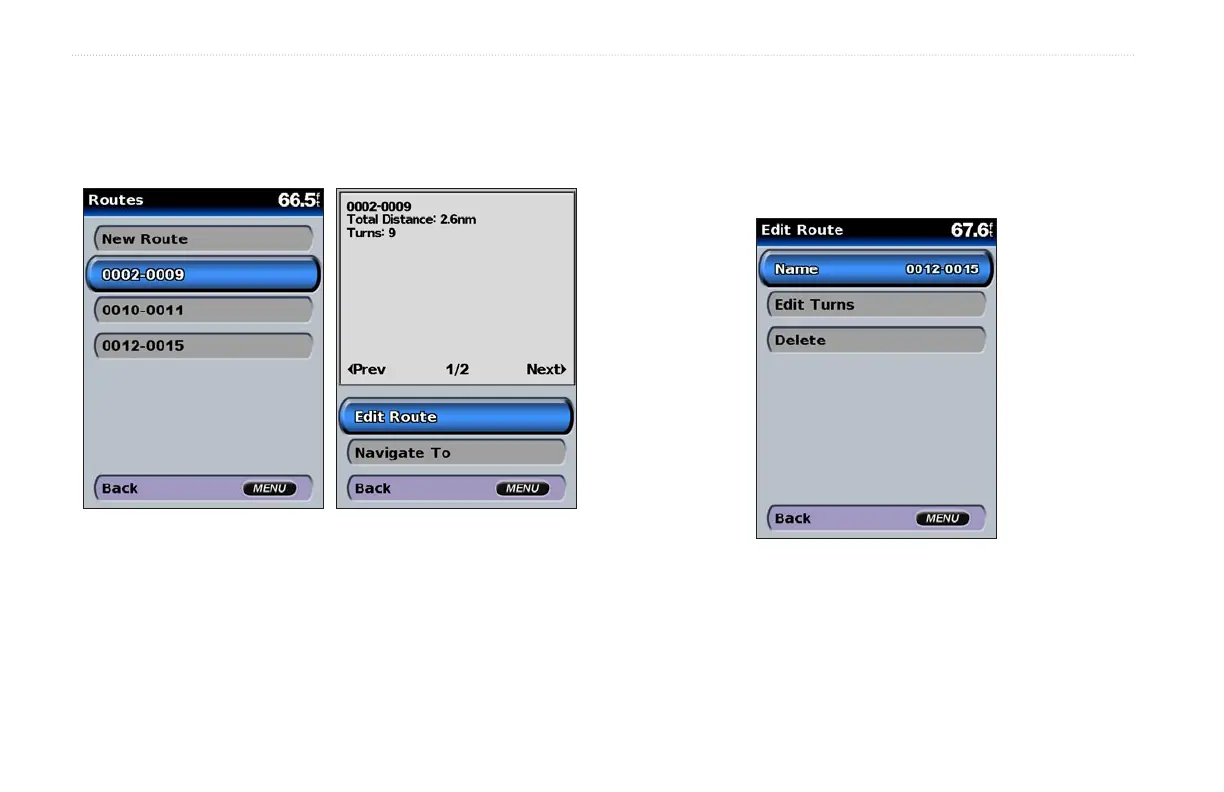
To edit a route
1. From the Home screen, select Information > User Data >
Routes.
2. Select the route to edit.
3. Select Edit Route. You can edit the route name, turns, or
delete the route.
To delete a route:
1. From the Home screen, select Information > User Data >
Routes.
2. Select the route to delete, and then select Edit Route.
3. Select Delete.













 To Next Page