Measuring the Range and Bearing to a Target Object
Before you can adjust the VRM and the EBL, you must show them on the Radar screen (Showing and Adjusting
the VRM and the EBL, page99).
1 From a Radar screen, select the target location.
2 Select Measure.
The range and the bearing to the target location appear in the upper-left corner of the screen.
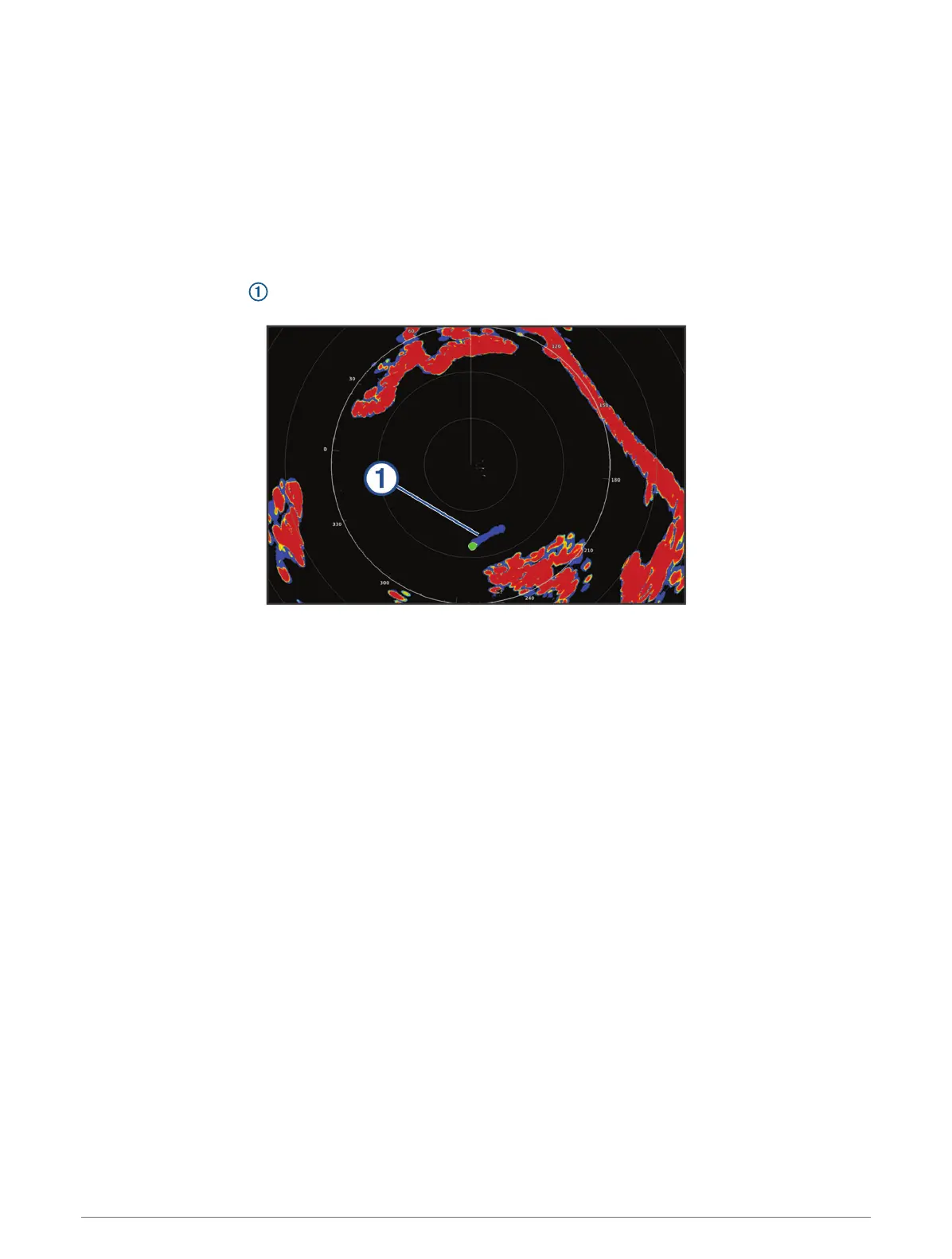
Echo Trails
The echo trails feature enables you to track the movement of vessels on the radar display. As a vessel moves,
you can see a faint trail of the vessel's wake. You can change the length of time the trail is displayed.
NOTE: Depending upon the radar in use, the settings configured for use in one radar mode may or may not be
applied to other radar modes or to the radar overlay.
NOTE: This feature is not available on xHD open array or HD/HD+ radome models.
Turning on Echo Trails
From a radar screen, select MENU > Radar Options > Echo Trails > Display.
Adjusting the Length of the Echo Trails
1 From a radar screen or the radar overlay, select MENU > Radar Options > Echo Trails > Time.
2 Select the length of the trail.
Clearing the Echo Trails
You can remove the echo trails from the radar screen to reduce the clutter on the screen.
From a radar screen, select MENU > Radar Options > Echo Trails > Clear Trails.
Radar Settings
NOTE: Not all options and settings are available on all radar and chartplotter models.
NOTE: You can optimize the radar display for each radar mode.
100 Radar



 To Next Page