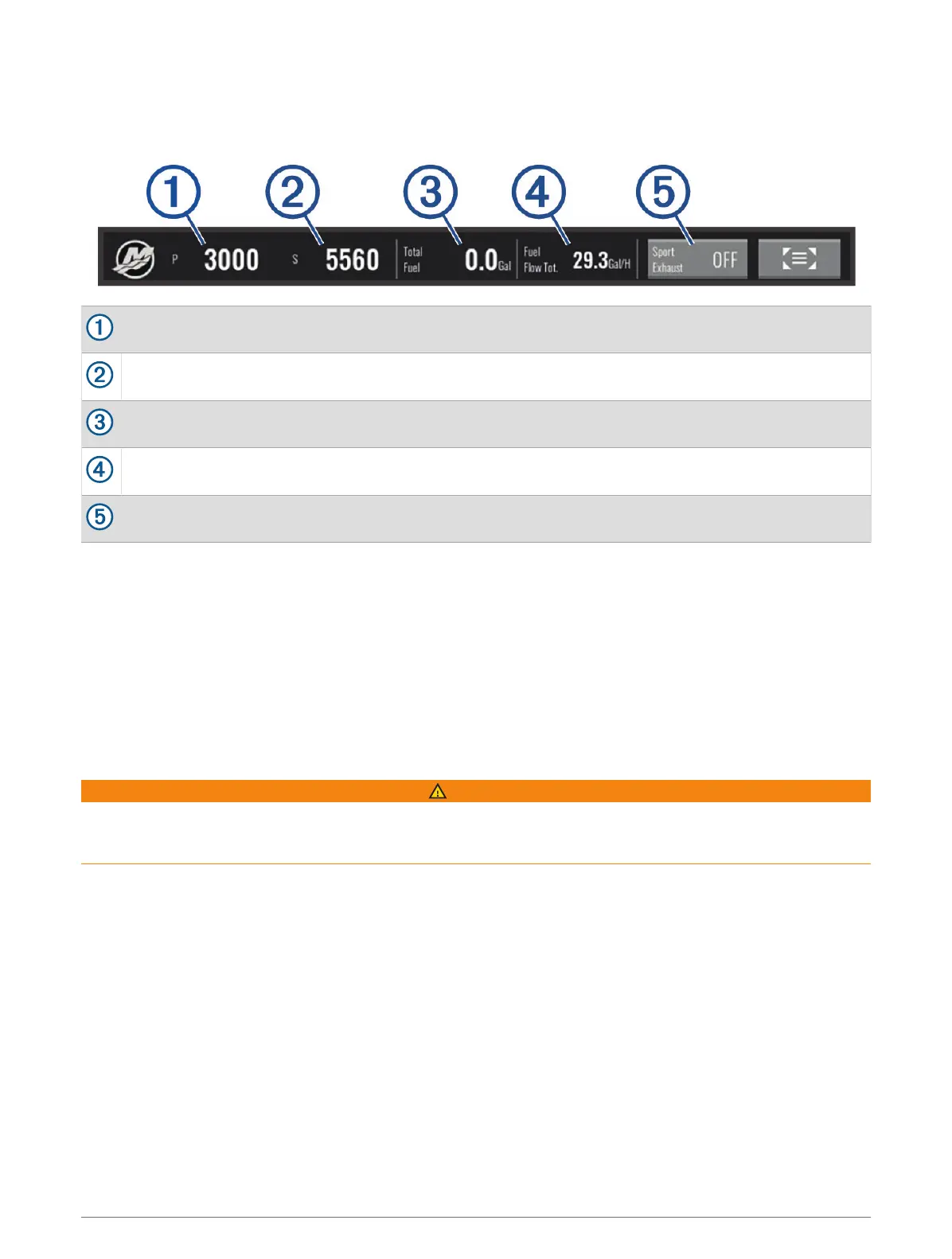
Mercury Engine Overlay
You can use the Mercury Engine Overlay to view engine data (Adding the Mercury Engine Overlay, page140).
NOTE: Due to space constraints on the overlay, some items may not appear if the vessel has multiple engines.
Port engine RPM
Starboard engine RPM
Total available fuel
Fuel usage
Sport Exhaust control (if supported) (Enabling the Mercury Engine Sport Exhaust Setting, page141)
TIP: You can also view an overview of engine details on the Mercury gauges page (Mercury
®
Engine Gauges,
page126).
Enabling the Mercury Engine Sport Exhaust Setting
When your chartplotter is connected to a compatible Mercury engine, you can use the Mercury Engine overlay
on the chartplotter to enable the Sport Exhaust setting. The Sport Exhaust setting alters the engine sound.
On the Mercury Engine overlay, select Sport Exhaust > On.
TIP: You can also enable the Sport Exhaust setting from the Mercury gauges page menu.
Mercury Active Trim Control
WARNING
You are responsible for the safe and prudent operation of your vessel. Mercury Active Trim Control does not
control boat speed, does not steer the boat for you, and does not avoid navigational hazards. Failure to safely
operate your boat could result in an accident causing property damage, serious personal injury, or death.
When your chartplotter is connected to a compatible Mercury Active Trim system, you can control the system
using the Active Trim overlay on the chartplotter.
Adding the Mercury Active Trim Overlay
1 From the page where you want to add the overlay, select MENU > Edit Overlays.
2 Select Top Bar or Bottom Bar.
3 Select Active Trim.
Controlling Third-Party Equipment Installed on Your Boat 141



 To Next Page