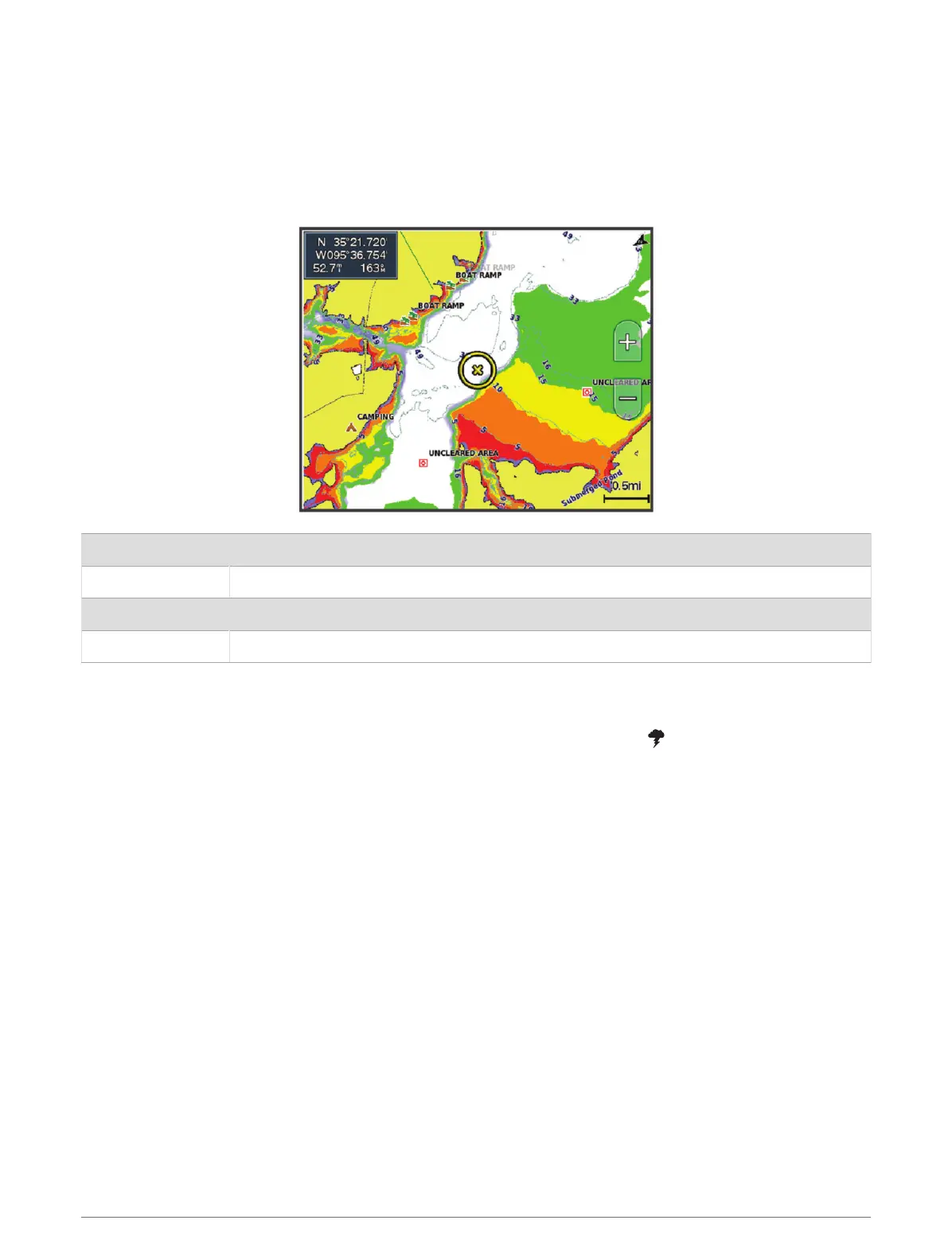
Depth Range Shading
You can set color ranges on your map to show the water depths where your target fish are currently biting. You
can set deeper ranges to monitor how quickly the bottom depth changes within a specific depth range. You can
create up to ten depth ranges. For inland fishing, a maximum of five depth ranges can help reduce map clutter.
The depth ranges apply to all charts and all bodies of water.
Some Garmin LakeVü
™
and premium supplemental charts have multiple depth range shading by default.
Red From 0 to 1.5m (from 0 to 5ft.)
Orange From 1.5 to 3m (from 5 to 10ft.)
Yellow From 3 to 4.5m (from 10 to 15ft.)
Green From 4.5 to 6.1m (from 15 to 20ft.)
To turn on and adjust, from a chart, select MENU > Layers > Water > Depth Shading.
Weather Layer Settings
From the Navigation or Fishing chart, select MENU > Layers > Chart > Weather > .
From a weather chart, select MENU > Layers > Chart > Weather.
Observed Layers: Sets which observed weather items are shown. Observed weather is the present weather
condition that are visible now.
Forecast Layers: Sets which forecasted weather items are shown.
Layer Mode: Shows forecasted or observed weather information.
Loop: Shows a loop of forecasted or observed weather information.
Legend: Shows the weather legend, with the severity of the conditions increasing from left to right.
Weather Subscription: Shows weather subscription information.
Restore Defaults: Resets the weather settings to factory default values.
Edit Overlays: Adjusts the data shown on the screen (Customizing the Data Overlays, page11).
40 Charts and 3D Chart Views



 To Next Page