Adding or replacing a hard drive
65
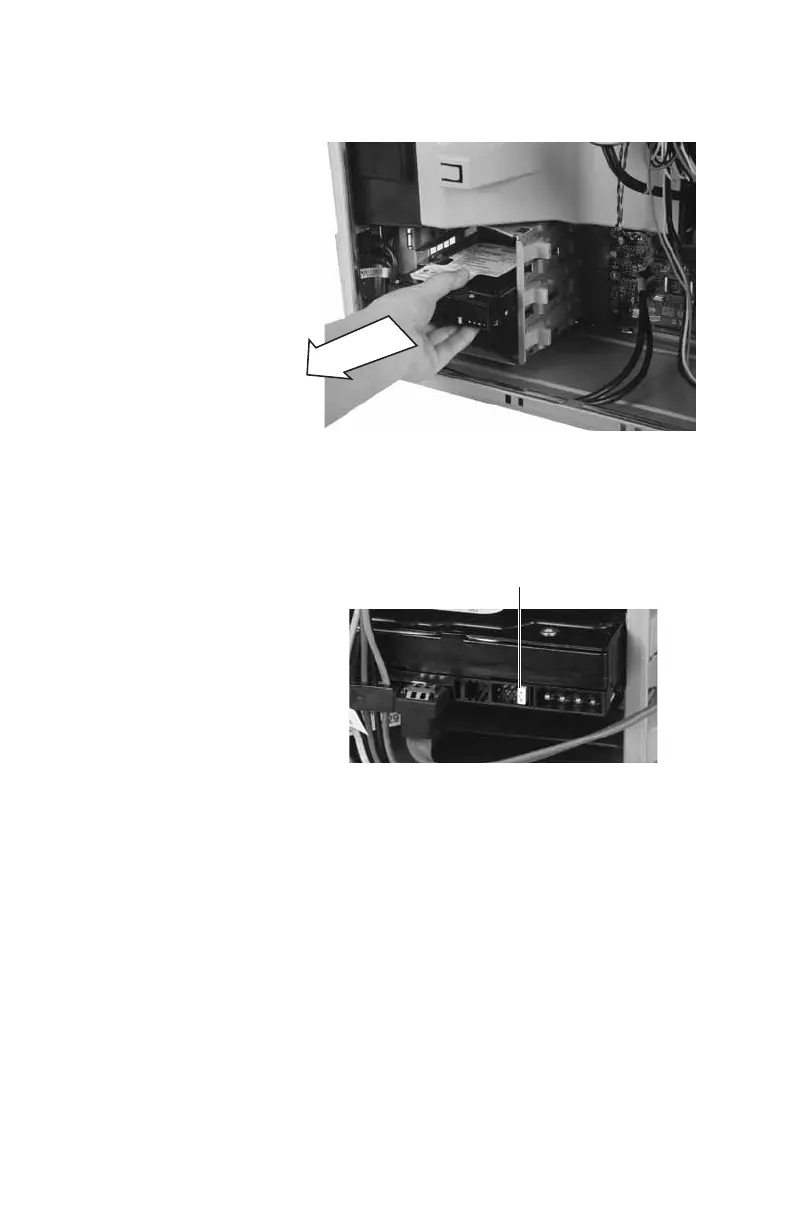
6 Remove the hard drive by sliding it out of
the drive bay.
7 Note any jumper settings on the old drive
and set the jumper on the new drive to be
the same. If you are installing a new drive,
follow the manufacturer’s instructions.
8 Slide the new drive into the drive bay, then
secure it in the drive bay by sliding the
drive release latch in toward the computer.
9 If you are replacing a drive, reconnect the
drive cables using your notes from Step 4.
If you are installing a new drive, follow the
manufacturer’s instructions for connecting
it to the system board.
Jumper
8511781.book Page 65 Tuesday, October 10, 2006 4:41 PM



 To Next Page