CHAPTER 5: Upgrading Your Computer
66
www.gateway.com
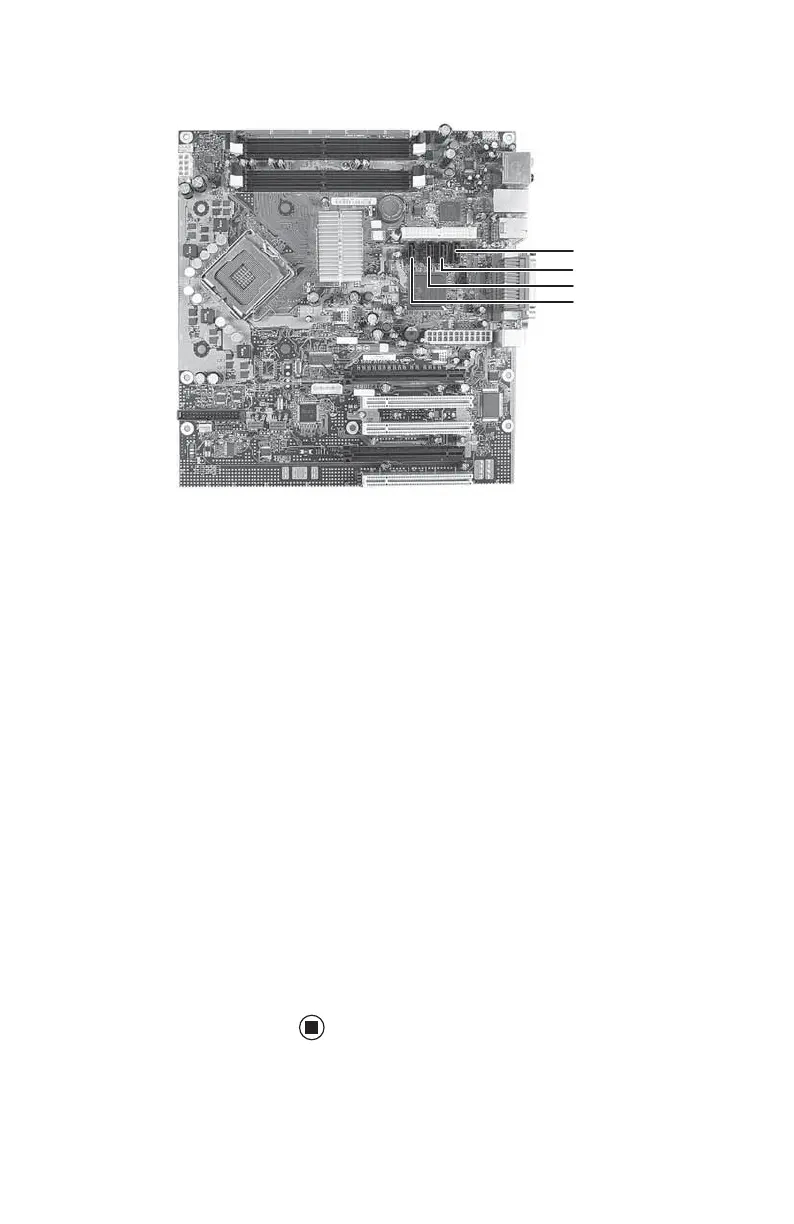
You can also refer to the following figure:
10 Replace the side panel by following the
instructions in “Replacing the side panel”
on page 55.
11 Reconnect all external cables and the
power cord.
12 Turn on your computer.
13 If you installed a new drive, format and
partition the drive according to the
manufacturer’s instructions (available on
the manufacturer’s Web site).
14 If Windows does not start, install Windows
using the operating system CD that came
with your computer, then install the drivers
and applications using the drivers and
applications disc that you created. Follow
the instructions in the restore chapter of
the User Guide that you printed to reinstall
the drivers and programs.
15 For information on setting up RAID, see
“Setting up RAID” on page 35.
SATA 0 port
SATA 1 port
SATA 2 port
SATA 3 port
8511781.book Page 66 Tuesday, October 10, 2006 4:41 PM



 To Next Page