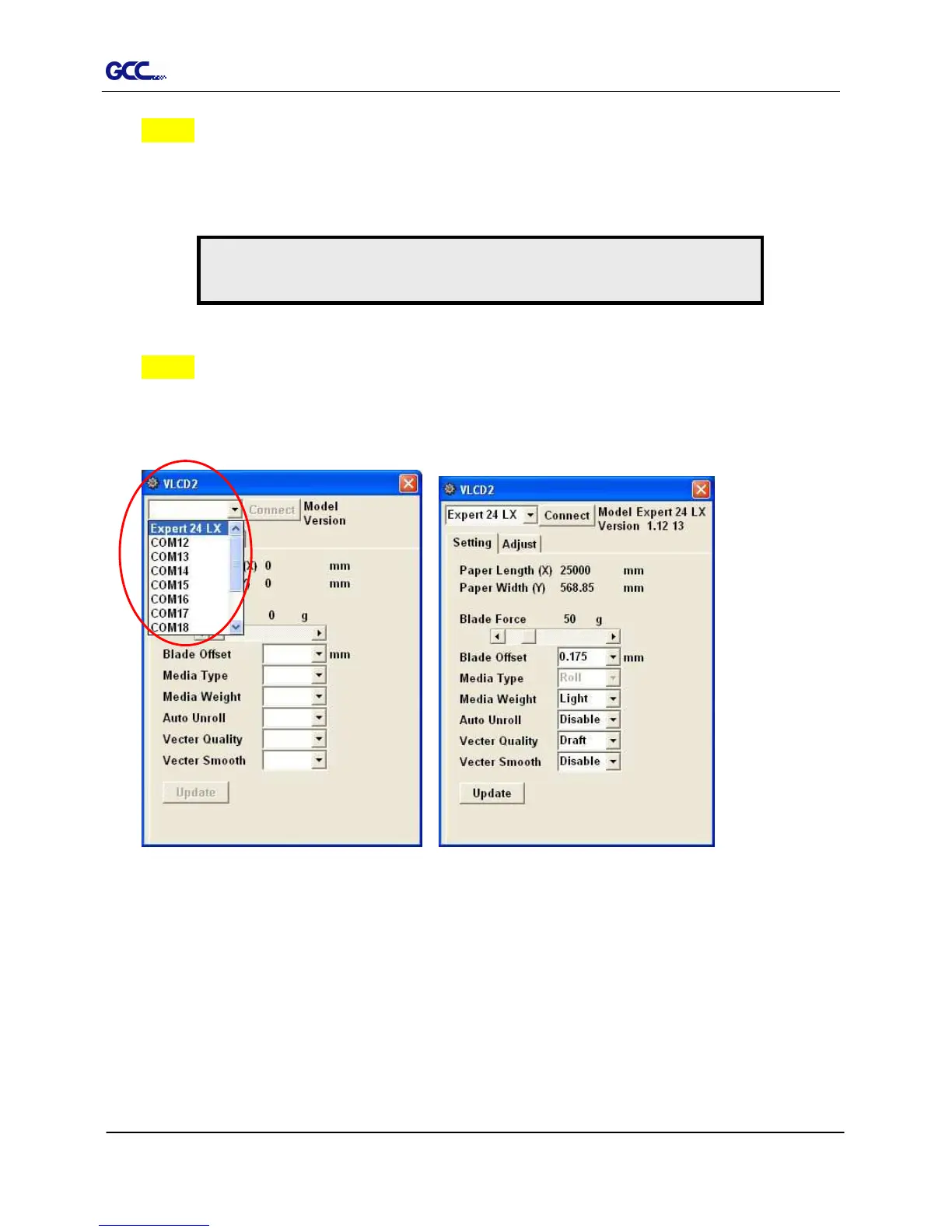
Figure 3-3 Figure 3-2
Step 3 Choose the right port connected to your computer (Figure 3-2).
If you are using the USB cable, choose USB0 from the pull down menu. If you are
using a Serial cable, choose either COM1 or COM2. Make sure no other devices
are occupying the port that you are going to use.
Step 4 Press the Connect button to connect your computer and the cutter. If the
connection succeeds, the model info, firmware version, and adjustable parameter
columns will be showing (Figure 3-3).
3.2.2 Functions of VLCD
Below are the functions adjustable in VLCD for Expert 52.
Poll Size
Force
Media Weight
Offset
Note:
Expert 24 LX serves as an illustration in the steps below.














 To Next Page