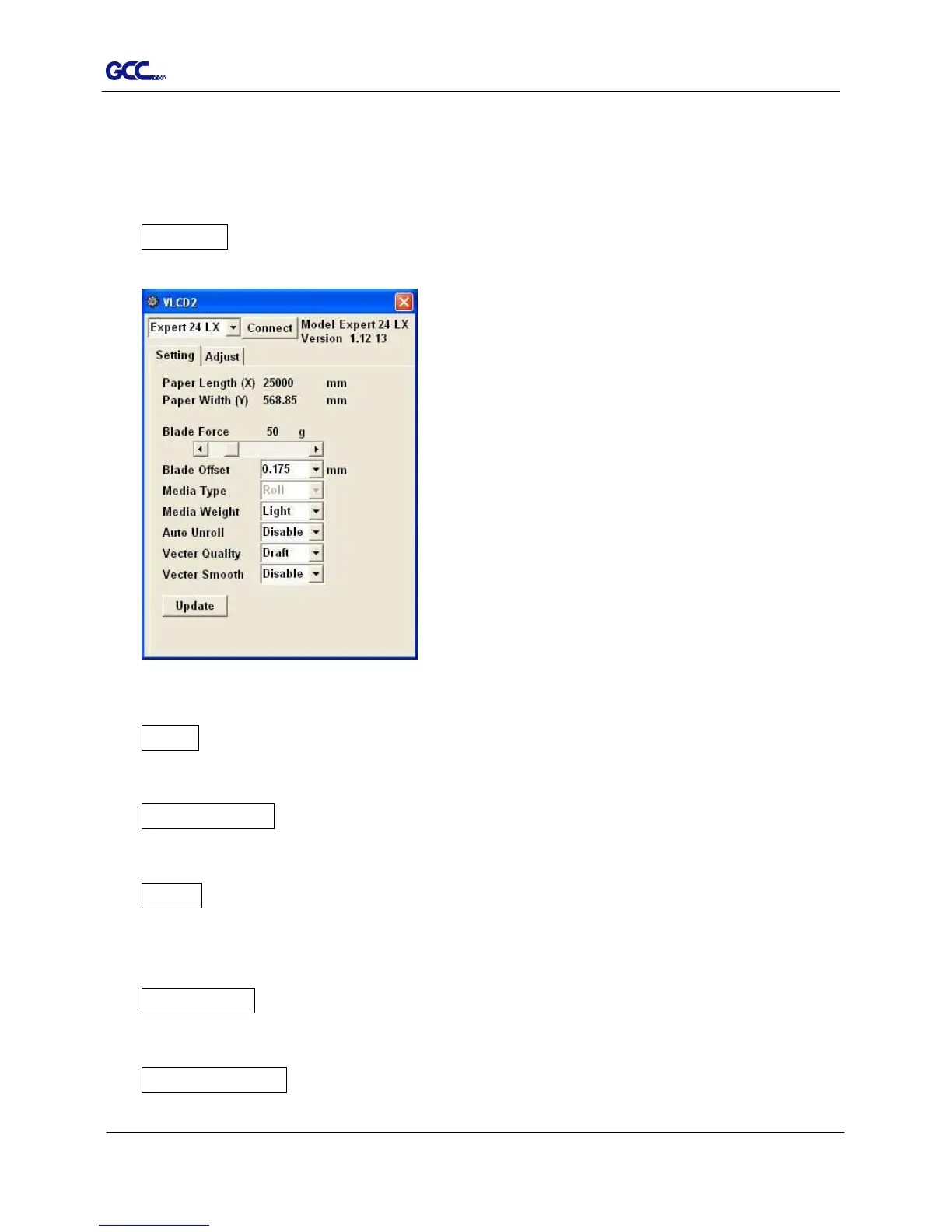
Figure 3-4
Auto Unroll
Update Setting
Poll Size
Click on the Poll Size button will reveal the X/Y values.
In the case, the maximum plotting length is 25000mm,
and the distance between the farthest two pinch
rollers is 568.85mm (Figure 3-4).
Force
To adjust the blade force between 0 and 250 (Default = 50).
Media Weight
To choose different weights of media in two options: Heavy, and Light (Default).
Offset
To adjust the blade offset to ensure cutting quality in 8 options: 0.000, 0.175, 0.250
(Default), 0.275, 0.300, 0.500, 0.750, and 1.000.
Auto Unroll
To switch options for sheet media and roll media (Auto Unroll On: Default).
Update Setting
To apply the changed setting onto the cutter by presses the Update Setting button.














 To Next Page