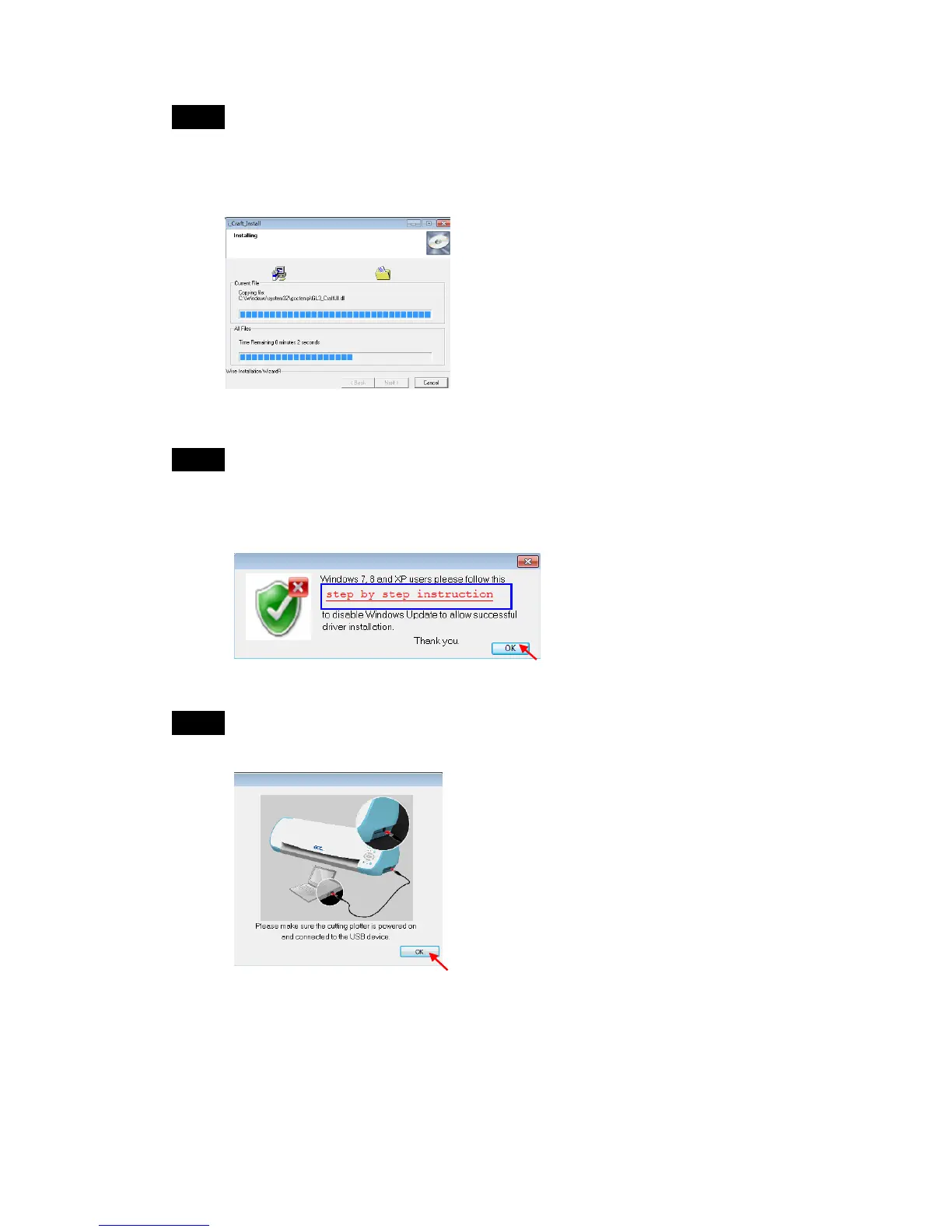
Step 3 Click on “Install Win 8/7/Vista/XP Driver” in DVD, and then the USB
driver will be installed automatically. It takes few minutes to find the
device. Please DO NOT disconnect the USB cable until the installation
has completed.
Step 4 The installation will take few minutes to complete, and then you will see
a message below. If you were Windows 7, 8 and XP users, please click
on the red words to instruct you how to disable Windows Update to
allow success driver installation. And then click OK to next step.
Step 5 Make sure the cutter is powered on and connected to the USB device
again, and then click OK.



 To Next Page