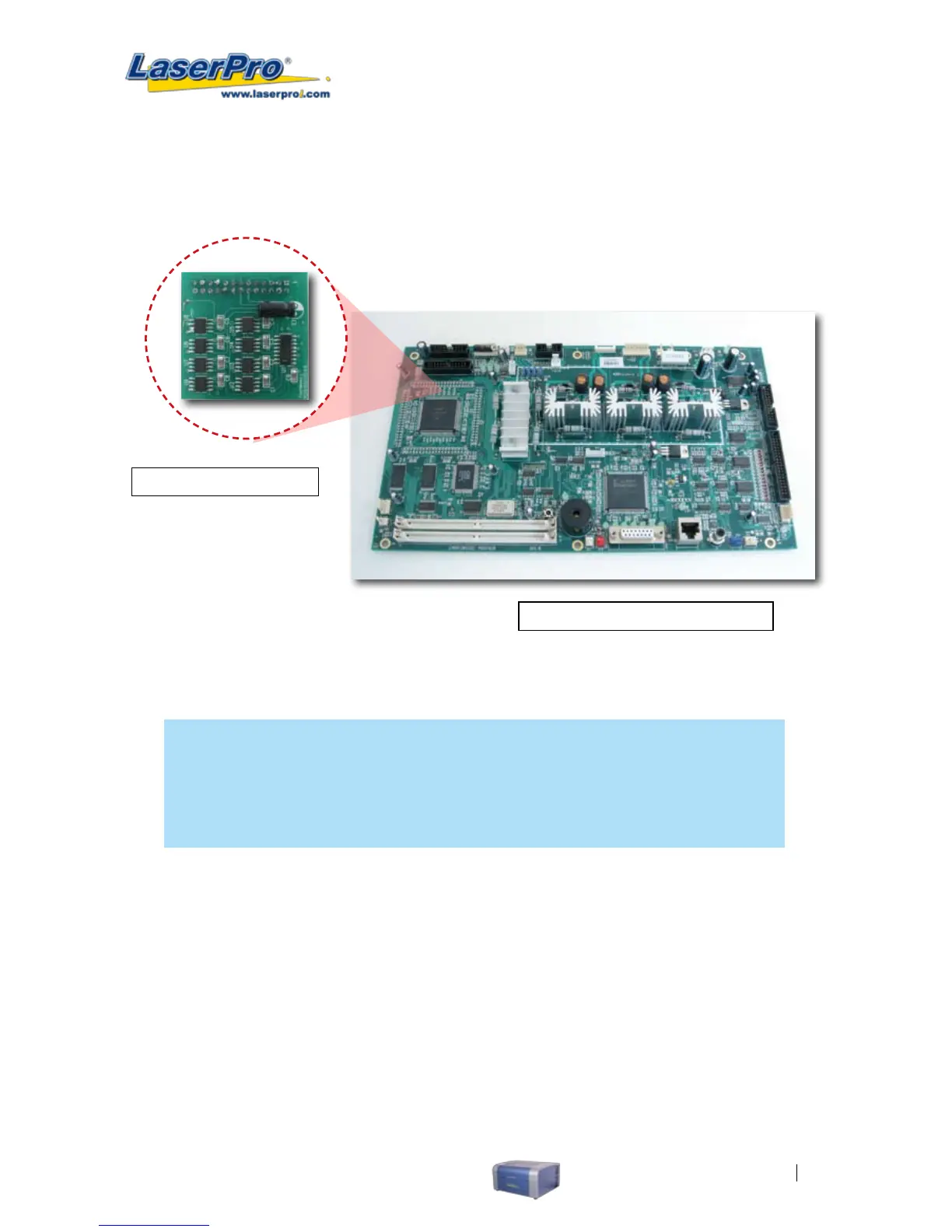
2) Remove the panel to access C180’s motherboard.
3) Simply connect the SmartMEMORY module to the connector on the C180’s motherboard (indicated
in the pictures below).
LaserPro C180’s Motherboard
SmartMEMORY Module
OPERATION:
With the SmartMEMORY module installed, you will be able to SAVE and LOAD to the SmartMEMORY:
NOTE
In order to properly use the SmartMEMORY module with the C180, ensure the C180’s
rmware is version 1.02 or later. Also keep in mind, the capacity of the SmartMEMORY
module is 4MB, please do not save les that exceed this limit.
SAVE les to the SmartMEMORY module:
1) Navigate to the Write Flash Memory function. From the C180 Control Panel, press the F4 (Function)
→
MACHINE SETTINGS
→
FLASH MEMORY
→
WRITE FLASH MEMORY.
2) By selecting the Write Flash Memory function, the tasks stored on the C180 will be transferred
over to the SmartMEMORY module.
LOAD les from the SmartMEMORY module:
1) Navigate to the Read Flash Memory function. From the C180 Control Panel, press the F4
(Function)
→
MACHINE SETTINGS
→
FLASH MEMORY
→
READ FLASH MEMORY.
2) By selecting the Read Flash Memory function, the tasks stored on the SmartMEMORY module
will be transferred over to the C180.



 To Next Page