7.7 Rotary Attachment Option
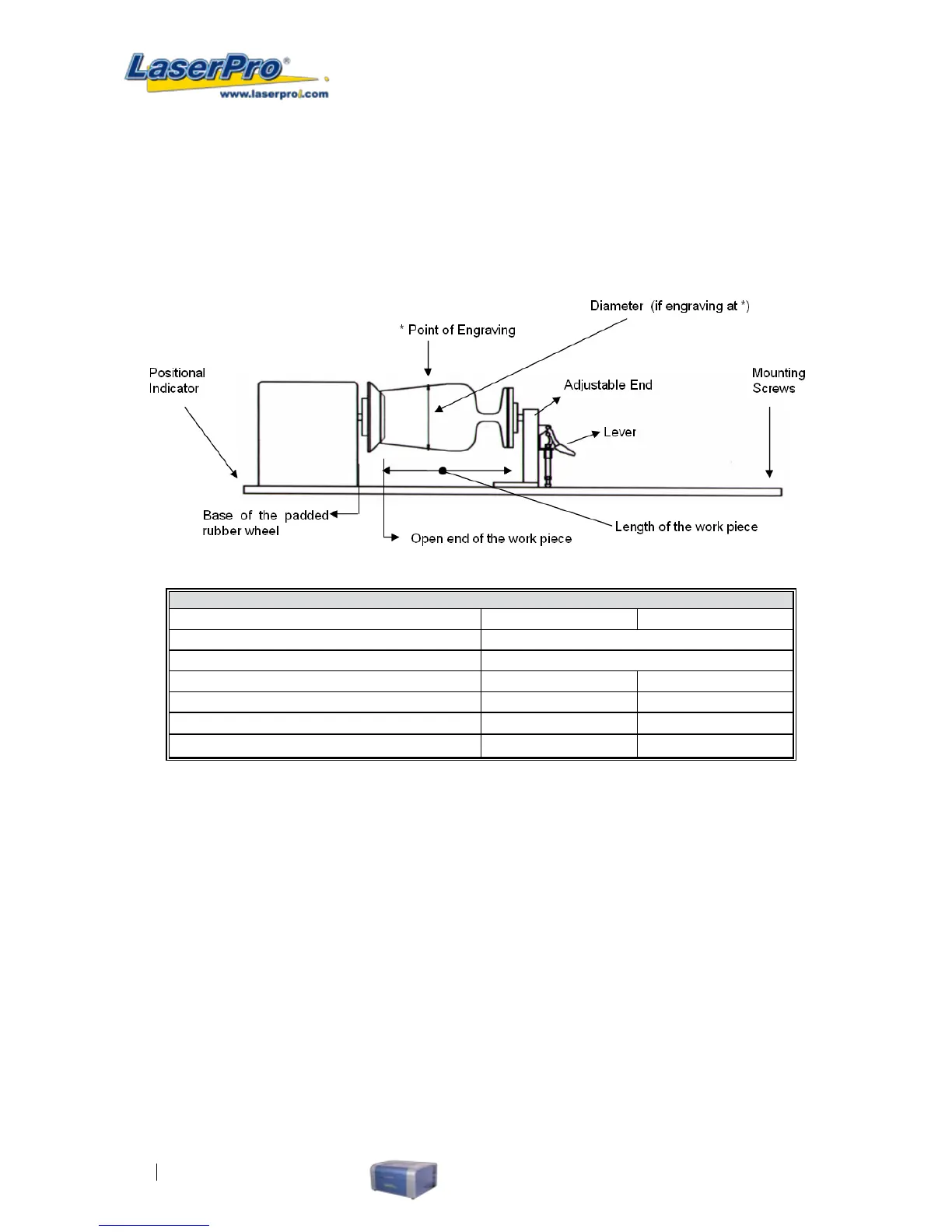
The rotary attachment option provides the LaserPro C180 with the ability to engrave on cylindrical or
spherical objects. In addition to the standard X, Y, Z axis, the rotary attachment allows for a fourth axis
which rotates your object 360° to allow for engraving on cups, wine glasses, and even spherical objects.
Work Piece Limitations
Model
C180 C180S
Maximum Length 250 mm (10.0 inches)
Maximum Loading Weight
5 kg ( 11 lbs.)
Minimum Diameter (Small conical xture) 12 mm (0.5 inches) 12 mm (0.5 inches)
Maximum Diameter (Small conical xture) 50 mm (1.9 inches) 50 mm (1.9 inches)
Minimum Diameter (Large conical xture)
90 mm (3.7 inches)
×
Maximum Diameter (Large conical xture) 125 mm (5 inches)
×
INSTALLATION:
1) Open the front panel of the LaserPro C180, lower the working platform to the bottom.
2) Turn off the power of the laser engraver.
3) There are different system congurations on LaserPro C180 and the rotary attachment is
installed accordingly. For machines without the built-in SmartBox, the rotary attachment is
positioned on the working table. For machines with built-in SmartBox, the rotary attachment can
be placed on the base of the SmartBox and used with the large conical xtures to engrave
objects with larger diameter.
4) When placing the rotary attachment on the working table and working with small conical
xtures, we can only use the small conical xtures (for working with small objects with
diameters 0.5"-1.9").



 To Next Page