59 232001840G(08)
File Edit Vector Page
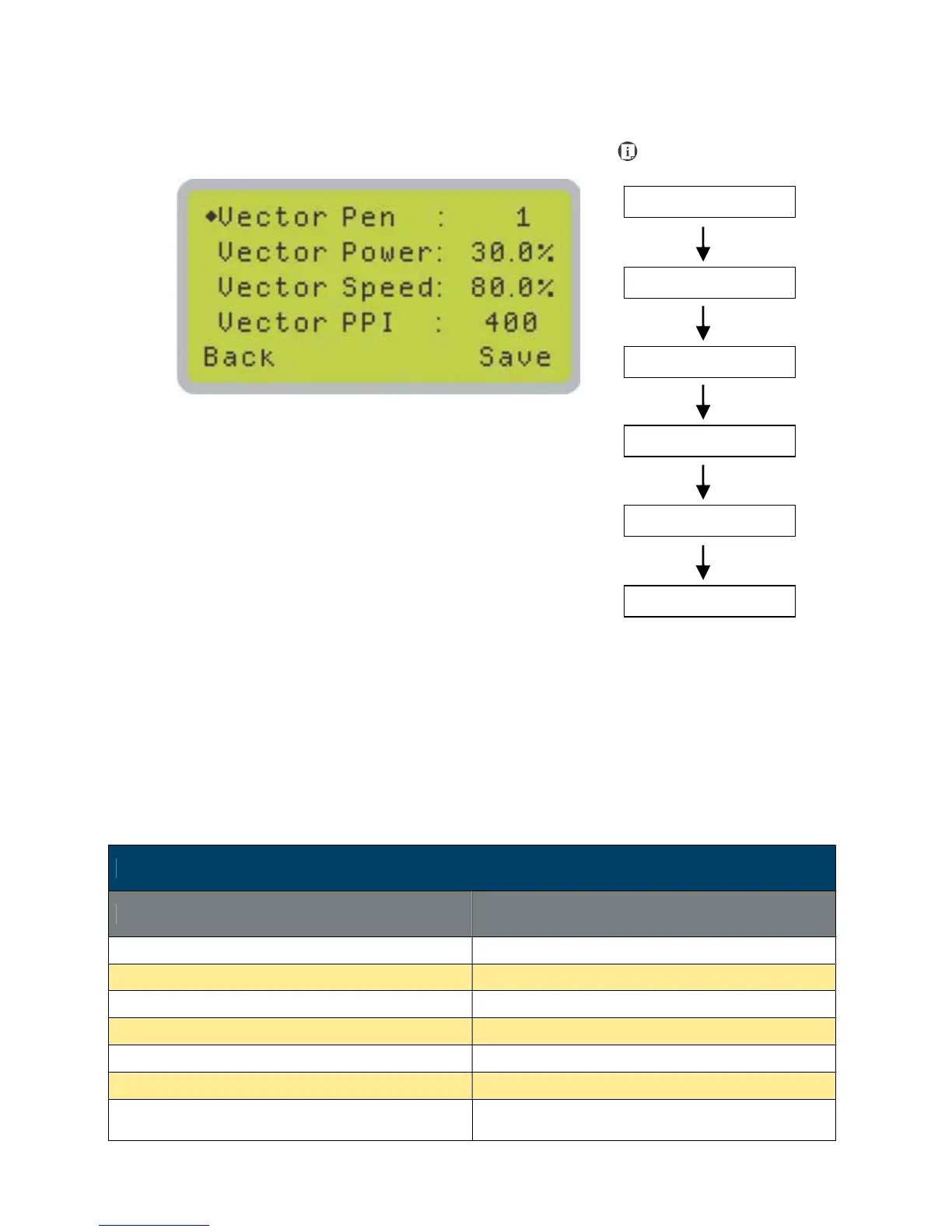
The File Edit Vector Page allows you to edit the vector pen, vector power, vector speed, and
vector PPI, and power ramp settings for the selected job. These settings correspond to the same
settings found on the LaserPro Spirit LS print driver. This page allows you to easily adjust these
values to make immediate adjustments while processing your loaded jobs, even when you have
disconnected your computer from the LaserPro Spirit LS.
• Vector Pen: 1 - 16
• Vector Power: 0.0% - 100%
• Vector Speed: 0.0% - 100%
• Vector PPI: 30 - 1524
• Power Ramp: YES / NO
File Edit Vector Page
Relevant Buttons Function
F1 (Back) Back to previous page
F4 (Save) Save your current settings
U / V Directional Scroll through your loaded jobs
Y / Z Directional Adjust the value for that selection
Start / Stop Back to Main Work Page
Auto Focus Initiate the auto focus function
S / T Manual Focus Buttons
Manually adjust the height of the work table (Z-
axis)
Main Work Page
Functions Page
Navigating to this page:





 To Next Page