CHAPTER 6: USING THE EXTERNAL DISPLAYS USING THE EPM P60N LCD EXTERNAL DISPLAY
EPM 9450/9650 ADVANCED POWER QUALITY METERING SYSTEM – INSTRUCTION MANUAL 6–5
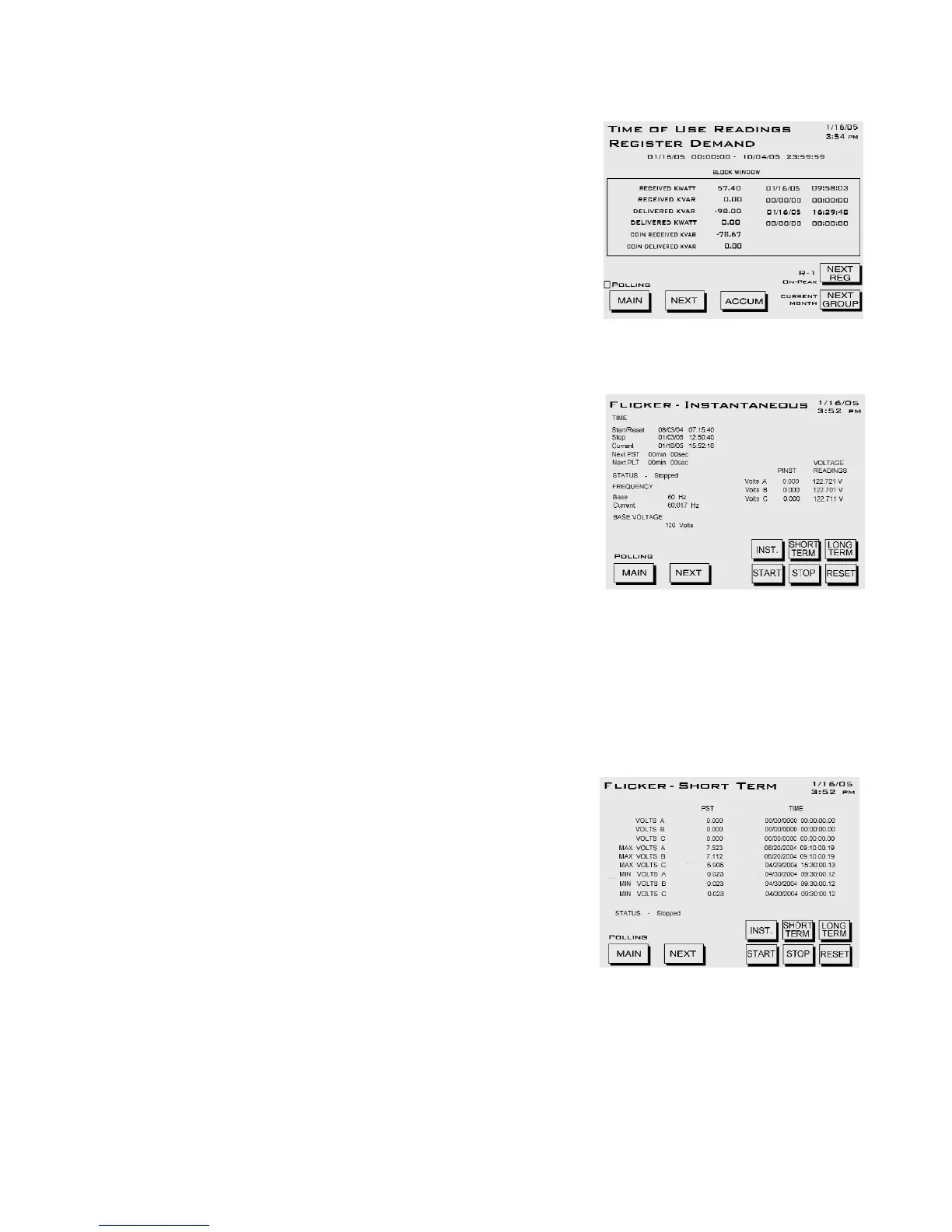
TOU: Register Demand/ Register 1 - 8
Accum button goes to TOU Register
Accumulation screen.
Next Reg button displays Registers 1 - 8.
Next Group button displays Prior Season,
Month, Current Season, Month.
• Fixed Window +kWatth, +kVARhr, -
kWatth, -kVARh, Coin +kVARh, Coin -
kVARh
FLICKER: Instantaneous
Note: Flicker settings such as frequency must
be configured through the GE Communicator
software. See the GE Communicator
Instruction Manual for details.
Short Term button goes to Flicker - Short
Term.
Long Term button goes to Flicker - Long
Term.
• Time of Start/Reset, Stop, Current, Next
Pst, Next Plt
• Flicker measurement Status
• Base frequency, Current frequency
•Base Voltage
• Pinst for voltages Va, Vb, Vc
•Voltage reading for Va, Vb, Vc
FLICKER: Short Term
Instantaneous button goes to Flicker -
Instantaneous screen.
Long Term button goes to Flicker - Long
Term screen.
• Current Pst values for Va, Vb, Vc, and
the time of computation
• Maximum Pst values for Va, Vb, Vc
since last reset, and the time of last
reset
• Minimum Pst values for Va, Vb, Vc since last reset, and the time of last reset



 To Next Page