6–6 EPM 9450/9650 ADVANCED POWER QUALITY METERING SYSTEM – INSTRUCTION MANUAL
USING THE EPM P60N LCD EXTERNAL DISPLAY CHAPTER 6: USING THE EXTERNAL DISPLAYS
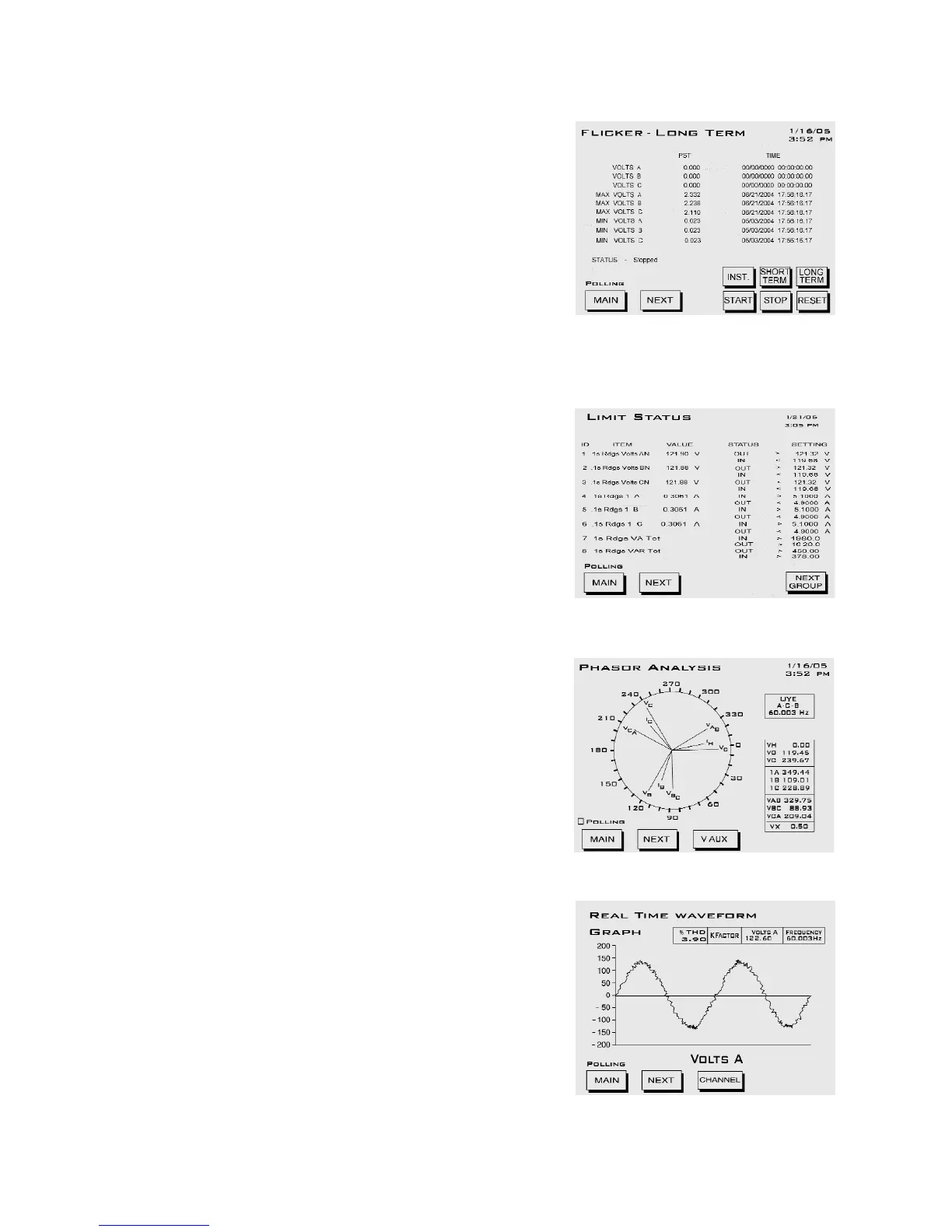
FLICKER: Long Term
Instantaneous button goes to Flicker -
Instantaneous screen.
Short Term button goes to Flicker - Short
Term screen.
• Current Plt values for Va, Vb, Vc, and the
time of computation
• Maximum Plt values for Va, Vb, Vc since
last reset, and the time of last reset
• Minimum Plt values for Va, Vb, Vc since
last reset, and the time of last reset
LIMITS: Limit Status. Current Limits
Settings for Monitor, ID 1 - 32
Displays the limits currently programmed by
the GE Communicator software. See the GE
Communicator Instruction Manual for details
on programming limits.
PHASORS: Phasor Analysis
• Phase Angle Van/bn/cn
• Phase Angle Ia/b/c
• Phase Angle Vab/bc/ca
WAVEFORM: Real Time Waveform Graph
Use Channel button to view different graphs
and readings:
• Channel Van/bn/cn
• Channel Ia/b/c
• % THD, KFactor, Frequency for selected
channel



 To Next Page