CHAPTER 7: COMMISSIONING LOGIC INPUTS AND OUTPUT RELAYS
745 TRANSFORMER PROTECTION SYSTEM – INSTRUCTION MANUAL 7–7
7.3 Logic Inputs and Output Relays
7.3.1 Logic Inputs
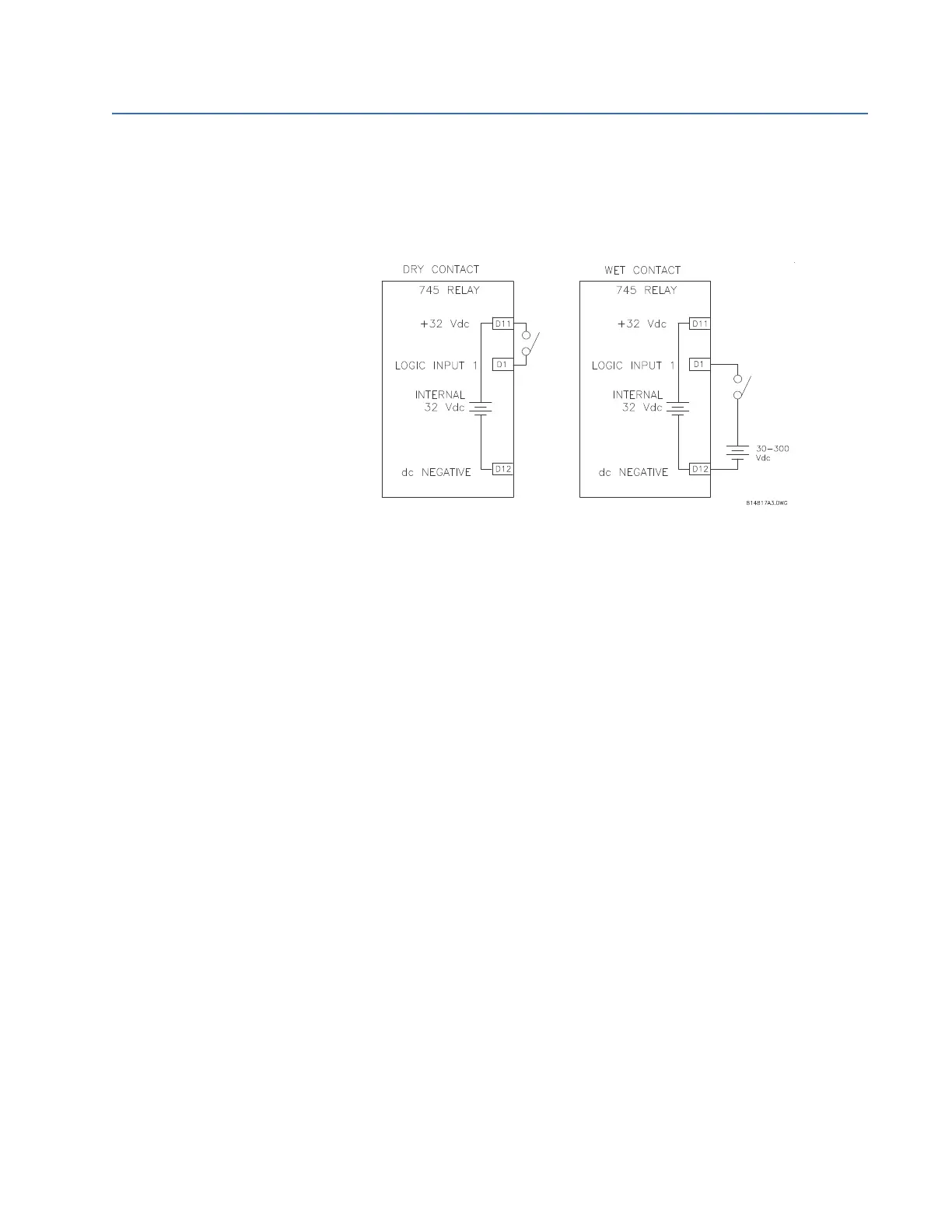
The dry and wet contact connections are shown below:
FIGURE 7–3: Logic inputs
Prior to energizing any of the Logic Inputs, ensure that doing so will not
cause a relay trip signal to be issued beyond the blocking switches.
These should have been opened prior to starting on these tests. If you
wish, you can disable the Logic Input functions by setting:
•
S3 LOGIC INPUTS LOGIC INPUT 1 (16) LOGIC INPUT 1(16)
FUNCTION: “Disabled”
Connect a switch between Logic Input 1 (Terminal D1) and +32 V DC
(Terminal D12), as shown above (alternatively, use the wet contact
approach shown in the same figure).
Logic Inputs can be asserted with either an opened or closed contact, per
the user choice. Verify/set the type of Logic Input to be used with the
following setpoint:
• S3 LOGIC INPUTS LOGIC INPUTS LOGIC INPUT 1 (16)
INPUT 1(16) ASSERTED STATE
Display the status of the Logic Input using the A1 STATUS
LOGIC
INPUTS
LOGIC INPUT 1(16) STATE actual value.
With the switch contact open (or closed), check that the input state is
detected and displayed as Not Asserted.
Close (open) the switch contacts. Check that the input state is detected
and displayed as Asserted.
Repeat for all the relay logic inputs which are used in your application.



 To Next Page