CHAPTER 4: INTERFACES ADVANCED ENERVISTA 745 SETUP FEATURES
745 TRANSFORMER PROTECTION SYSTEM – INSTRUCTION MANUAL 4–35
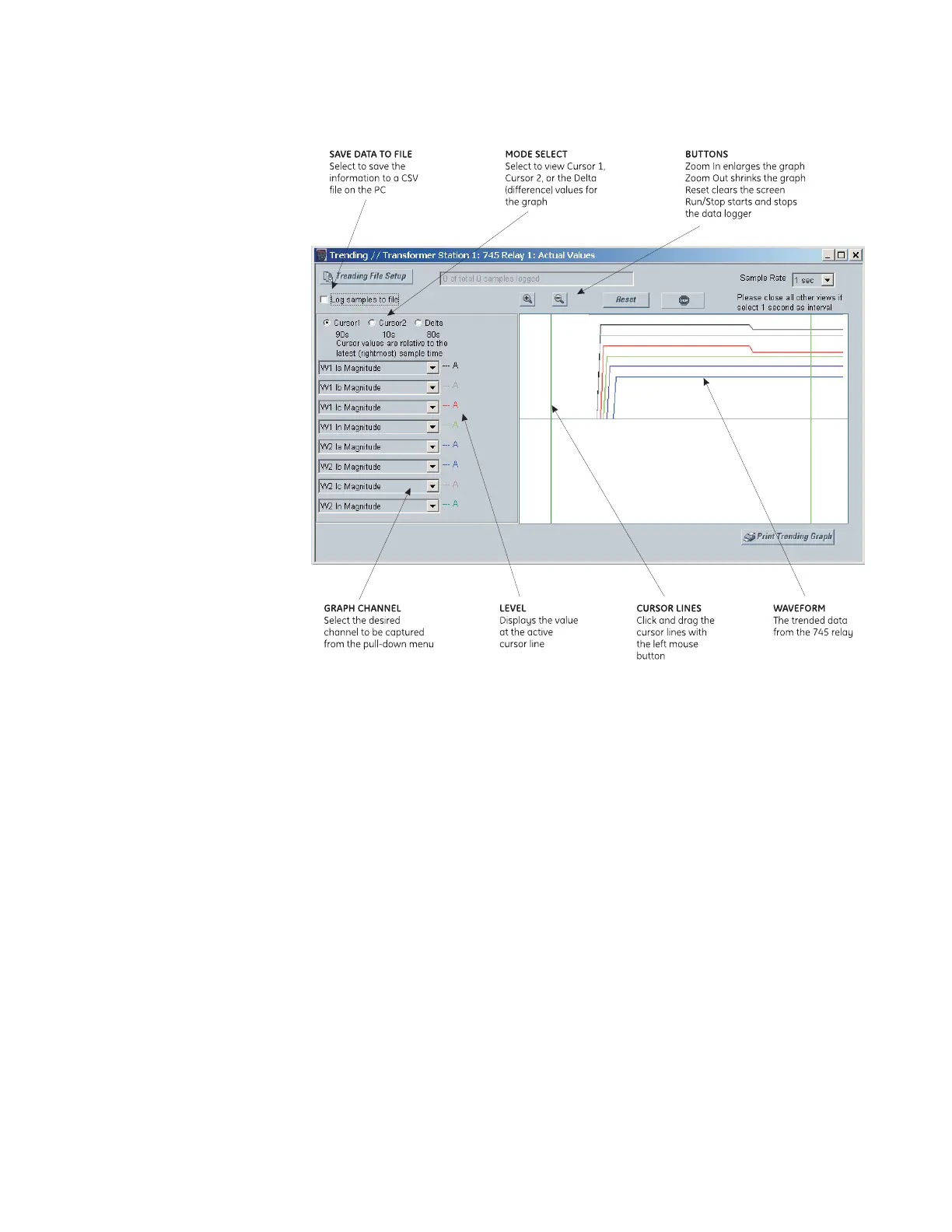
During the process of data logging, the trending screen appears as shown below.
Figure 4-2: Trending screen
4.6.4 Event Recorder
The 745 event recorder can be viewed through the EnerVista 745 Setup software. The
event recorder stores transformer and system information each time an event occurs. A
maximum of 256 events can be stored, where E256 is the most recent event and E001 is
the oldest event. E001 is overwritten whenever a new event occurs. Refer to Event Records
on page 6–17 for additional information on the event recorder.
Use the following procedure to view the event recorder with EnerVista 745 Setup:



 To Next Page