– 20 –
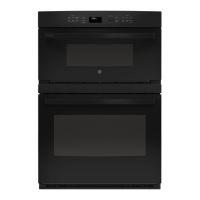
Oven Controls 7800 Series
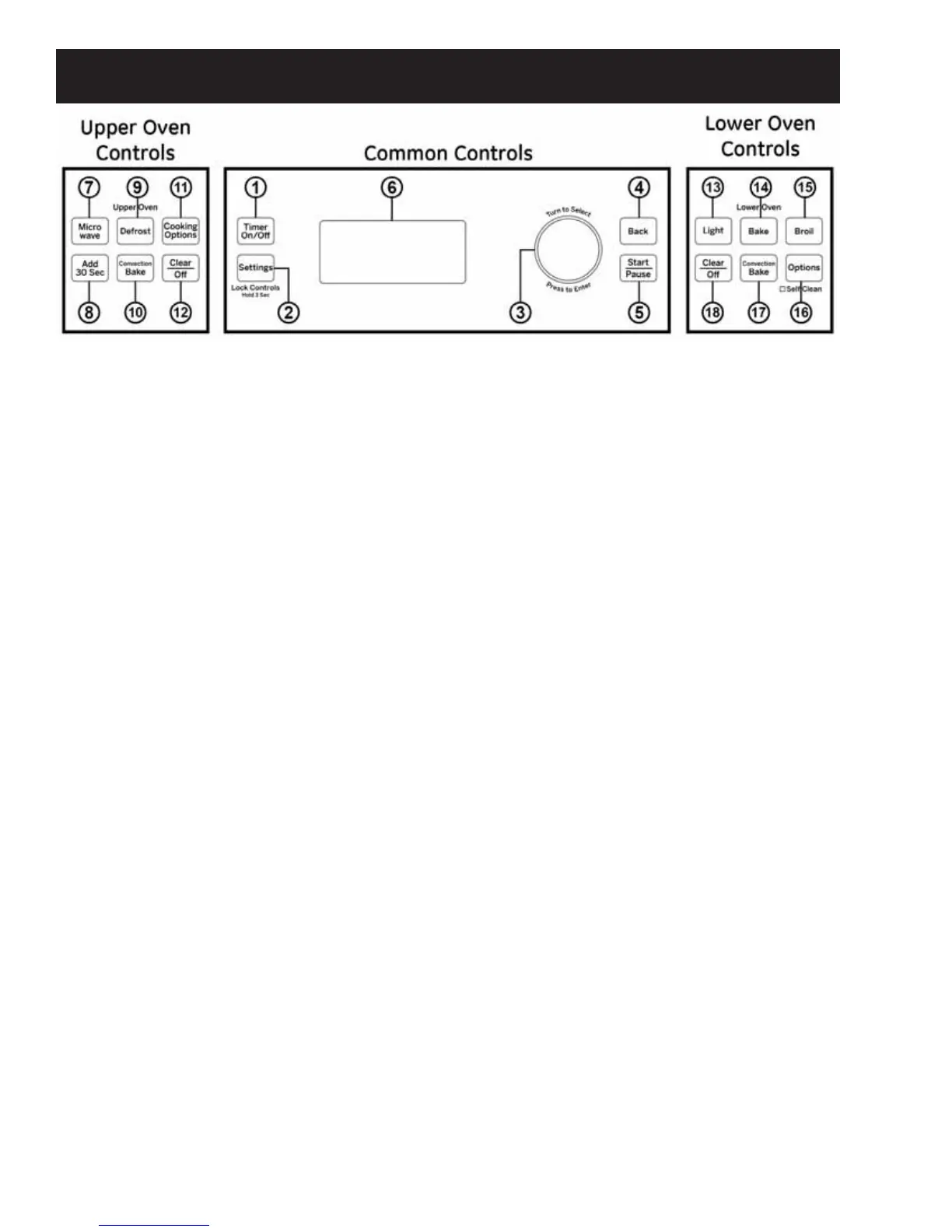
Common Controls
1. 7LPHU2Q2ȹ: Works as a countdown timer.
3UHVVWKH7LPHU2Q2ȺSDGVHOHFWWKHWLPHUW\SH
(hours and minutes or minutes and seconds),
use the selector dial to set the time, and press
the selector dial to start the timer countdown.
The oven will continue to operate when the timer
FRXQWGRZQLVFRPSOHWH7RWXUQWKHWLPHURȺ
SUHVVWKH7LPHU2Q2ȺSDG
2. Settings/Lock Controls: Find oven options
for: Help, Clock Settings, Display Mode, Auto
&RQYHUVLRQ$XWR6KXW2Ⱥ%HHSHU9ROXPH
Reminder, Temperature Units, Thermostat Adjust
and Oven Information under this selection. See
the Oven Settings section of this guide for more
details. Press and hold the Settings pad for 3
seconds to lock or unlock the controls. This
locks out the control so that pressing any of
the control pads does not activate the feature.
&OHDU2ȺLVDOZD\VDFWLYHHYHQZKHQWKHFRQWURO
is locked.
3. Selector Dial: The selector dial is used for both
the upper and lower ovens. Rotate dial to select
oven settings, upper/lower oven options and
FRRNLQJRSWLRQVWKHQSUHVVWRFRQ¿UPWKH
selection. Rotate dial to increase or decrease
WHPSHUDWXUHVRUWLPHDQGWKHQSUHVVWRFRQ¿UP
the set temperature or time.
4. Back: Press this pad to go back a menu level in
the display.
5. Start/Pause: Press the Start/Pause pad to start
any cooking, clean or timed function. Press
the Start/Pause pad to pause any upper oven
features.
6. Display: Information about both the upper and
lower ovens is shown in this display window.
Upper Oven Controls
7. Microwave: Press the Microwave pad for
microwaving options. Use the selector dial to
¿QGWKHPLFURZDYLQJRSWLRQGHVLUHGDQGSUHVV
the selector dial to select it. Options available
include Cook by Time, Cook, Defrost, Beverage,
Popcorn, Melt, Reheat, Simmer and Soften.
Use the clear glass tray and microwave-safe
cookware when using the microwave features.
See the Upper Oven: Microwaving section in
this guide for more detail.
8. Add 30 Sec: Press the Add 30 Sec pad for 30
seconds of microwave cooking time. Each time
this pad is pressed an additional 30 seconds is
added to the remaining cooking time. The oven
starts immediately.
9. Defrost: Press the Defrost pad to defrost; rotate
selector dial to select the type of defrost and
press to select. Type of defrost available include:
Defrost by Food Type, Defrost by Time, Defrost
by Weight, 1.0 lb. Quick Defrost, Melt, and
Soften. See the Microwaving section for more
information.
10. Convection Bake: Press the Convection Bake
pad to convection bake in the upper oven.
Place food or oven safe dish on the glass tray
when using the convection bake feature. When
convection baking on two levels, place food or
oven safe dish on the wire oven rack and place
them on the glass tray. See the Upper Oven:
Baking section of this guide for more detail.
11. Cooking Options: Find the Repeat Last, Proof
and Warm features under this selection. See the
Oven Options section for more details.
12. &OHDU2ȹ7KH&OHDU2ȺSDGFDQFHOV$//XSSHU
oven programs except the clock and timer.
(Continued next page)



 To Next Page