– 46 –
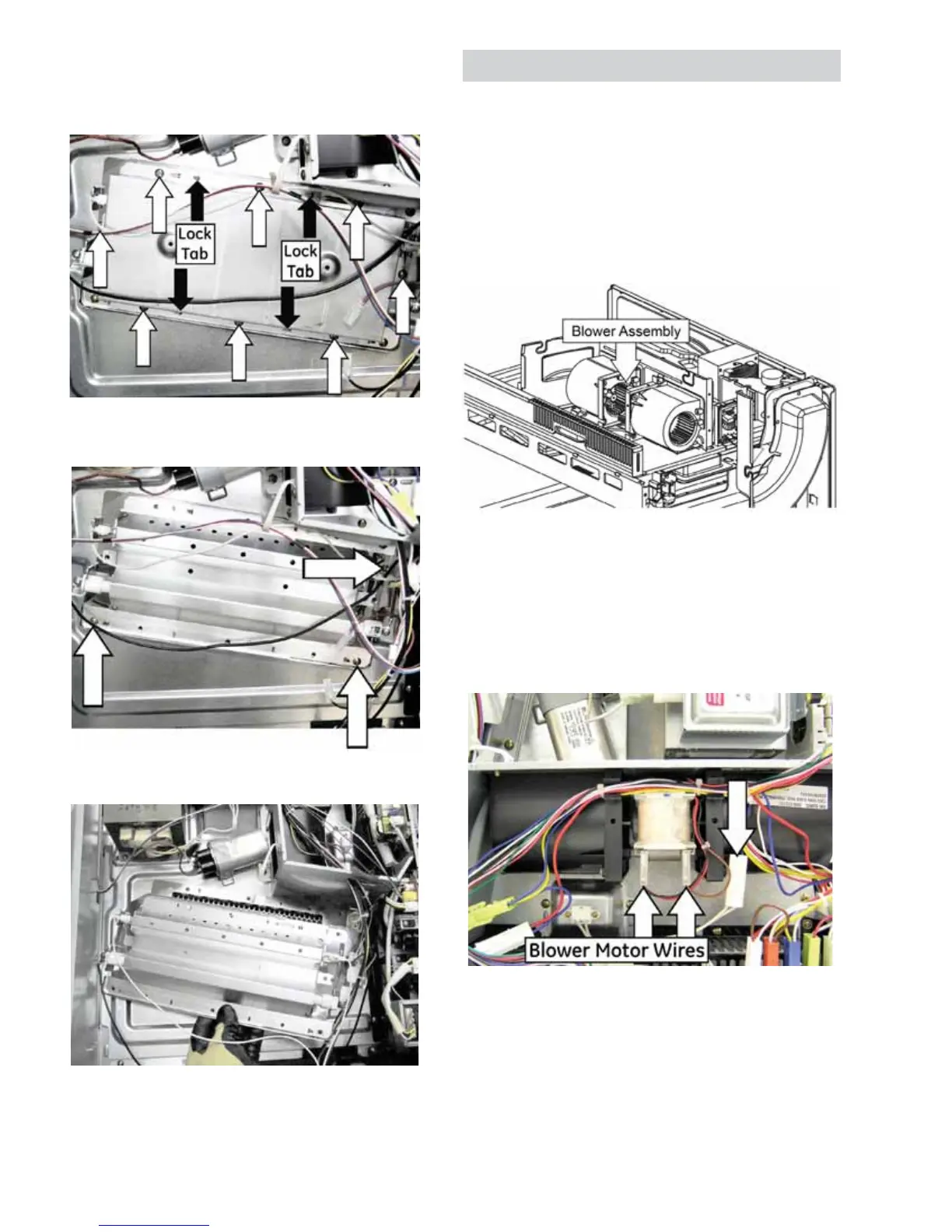
5. Straighten the four folded lock tabs.
6. Remove the eight Phillips head screws that
DWWDFKWKHKHDWHUFRYHU/LIWRȺWKHFRYHU
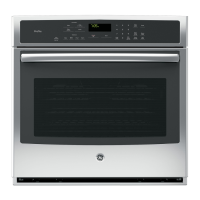
7. Remove the three Phillips head screws that
attach the heater assembly to the oven chassis.
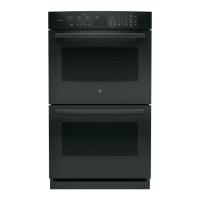
8. Carefully lift the heater assembly from the oven
chassis.
Blower Assembly
A blower protects the oven from too much heat
around the oven cavity. It automatically turns on at
low speed if it senses too much heat. The blower will
DXWRPDWLFDOO\WXUQRȺZKHQWKHLQWHUQDOSDUWVDUH
cool. It may stay on for 30 minutes or more after the
RYHQFRQWUROLVWXUQHGRȺ
The blower motor has an approximate resistance
YDOXHRIű
Blower Assembly Removal
1. Remove the oven from the cabinet or wall
opening and remove the outer cover. (See the
Removing Upper Oven section in this guide.)
2. Disconnect the blower motor wiring and the
oven lamp wire harness.
3. Remove the foam seal from the blower bracket.
4. Remove wiring from the guides in the blower
bracket and from the retainers on the blower
housing.
(Continued next page)



 To Next Page