– 74 –
Service Mode
Advantium® Unit
Remove any trays (metal or glass) from the upper
oven before starting the diagnostic mode, and make
sure the door is closed. Removing the trays allows
viewing of the turntable coupling operation and the
lower ceramic heater. NOTE: All safety components
remain active in the service mode.
To Initiate Service Mode
1. Press and hold the SPEED COOK and
MICROWAVE keypads for 3 seconds.
2. To exit service mode, press the CLEAR/OFF pad.
The mode will cancel after 2 minutes of inactivity
and will return to normal operation mode.
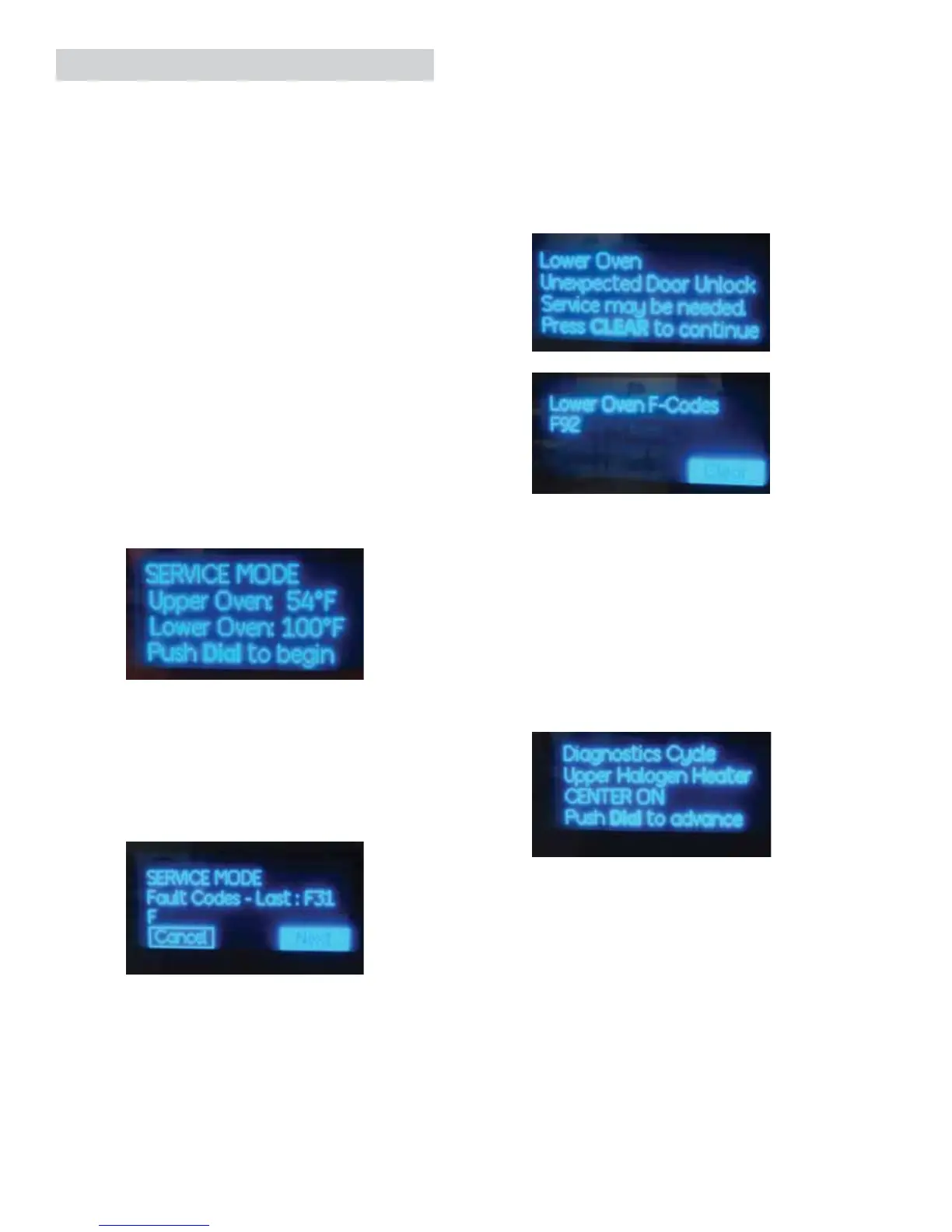
Upon entering into service mode, SERVICE MODE is
displayed.
The upper and lower oven temperatures will also be
displayed.
Press the dial to advance; this will advance into the
fault summary screen. If no faults are present, it will
skip directly to load test. If faults are present it will
display up to 7 stored faults.
Faults for the lower oven will have to be cleared in
the lower oven fault mode.
If the lower oven sets a critical fault code, the
display shows the fault and shuts down all lower
oven functions. After the problem is corrected, the
display will return to normal but the fault will have
to be cleared. To clear faults on the lower oven,
press and hold START and lower oven BAKE for 3
seconds. Fault codes will be displayed. Press CLEAR
on keypad or press control knob.
Pressing the dial while NEXT is highlighted puts
the system into Load Operation mode to test
components.
Upon starting the diagnostics cycle, the control will
set all power levels to High or 10 (i.e.: Upper = High,
Lower = High, Microwave = 10).
During the test cycle, the display will show which
load is to be energized.
(Continued next page)



 To Next Page