– 75 –
The following table lists the order that the loads will
be cycled, as well as the amount of time each is
energized. Each dial press will advance to the next
load.
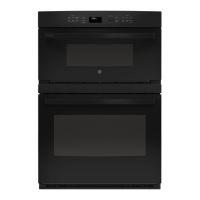
ADVANTIUM® DOUBLE WALL OVEN
Order Load “On” Time
1 Upper Halogen
Heater (center)
3.5 seconds
2 Upper Halogen
Heater
(exterior)
3.5 seconds
3 Lower Ceramic
Heater
15 seconds
4 Turntable and
Oven Light
5 seconds
5 Damper Motor 15 seconds
6 Circulation Fan/
Convection
Heater
15 seconds
7 Magnetron/
Magnetron
Blower
10 seconds
Upon completion of the diagnostics cycle, the
display will show the COMPLETE message then exit
Service mode.
Similar Service modes are available on Microwave
and Convection ovens.
To Enter the Service Mode on These Models
1. Press and hold the DEFROST and MICROWAVE
keypads for 3 seconds.
Use the same procedure as the Advantium® version,
only the components available will be energized.
CONVECTION DOUBLE WALL OVEN
Order Load “On” Time
1 Lower Ceramic
Heater
15 seconds
2 Turntable and
Oven Light
5 seconds
3 Damper Motor 15 seconds
4 Circulation Fan/
Convection
Heater
15 seconds
5 Magnetron/
Magnetron
Blower
10 seconds
MICROWAVE DOUBLE WALL OVEN
Order Load “On” Time
1 Turntable and
Oven Light
5 seconds
2 Magnetron/
Magnetron
Blower
10 seconds



 To Next Page