59
EN
3.2.3 Attach Lithium-ion Battery to the Device
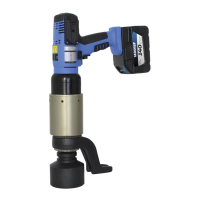
Hold the two blue push buttons (O) at the side of the lithium-ion
battery and insert it into the device from above.
Make sure that the battery lock (P) locks into place.
Now the lithium-ion battery is xed.
The removal of the lithium-ion battery may only be carried out
with the device unloaded. For devices under load, the lithium-
ion battery must not be removed.
To remove the lithium-ion battery, press the two blue push buttons
(O) again and gently pull the lithium-ion battery downwards out of
the device.
3.3 Attach Reaction Arm
Only the standard supplied reaction arms may be used.
Before changing the reaction arms, consult the manufacturer,
as an uncon-trolled operating condition (tilting moment) can
occur.
CAUTION


 To Next Page