63
EN
The device has a torque setting table for both for the 1st gear, as well
as the 2nd gear.
For the selected torque, the corresponding gear must be selected:
1. Gear Gear-switch (C) in position 1
2. Gear Gear-switch (C) in position 2
The calibrated torque values in the various adjustment stages refer
to a hard bolted connection with a short clamping length. Dierent
bolted connections may result in a dierent torque.
Switching the gear is only to be done at standstill, otherwise the
gearbox can incur irreparable damage.
3.5.3 Bolting Process
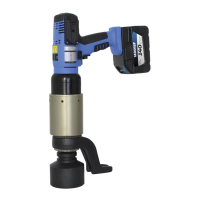
The reaction arm always contacts against the
direction of rotation of the torque wrench.
Press and hold the start button (I) on the
pistol grip (A) until the preselected torque
is reached. When the torque is reached, the
motor automatically shuts o and the torque
wrench relaxes.
Before starting the bolting process, check once
again whether the selected gear position
(1st gear/2nd gear) corresponds to the
selected torque.
Emergency stop: remove lithium-ion battery in any situation.
NOTICE
NOTICE


 To Next Page