70
EN
5 Disassembly the Device
Remove the lithium-ion battery from the device before changing
accessories or putting the device away. To do this, press the push
buttons (O) on both sides to release the battery lock (P). This precau-
tion prevents the device from accidentally starting.
The removal of the lithium-ion battery may only be carried
out with the device unloaded. For devices under load, the
lithium-ion battery is not allowed to be removed.
Set the right/left switch (D) to the middle position to prevent uncon-
trolled start of the device.
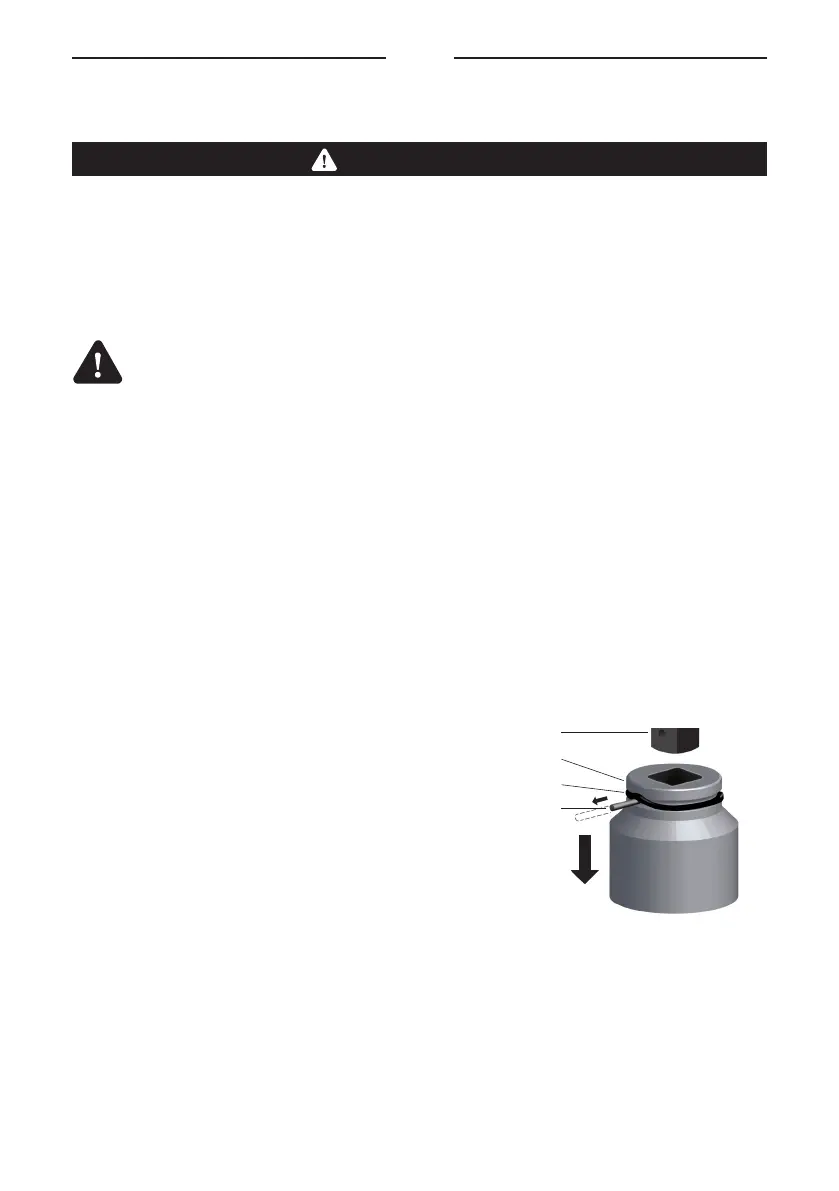
5.1 Remove Impact Socket
1. Push the rubber ring (W) from the groove
so the pin (V) can be pulled out
2. Pull the impact socket (L) from the
square drive (K)
NOTICE
K
L
V
W


 To Next Page