page | 69
Signage Manager Express Software
Using Weekly Schedules
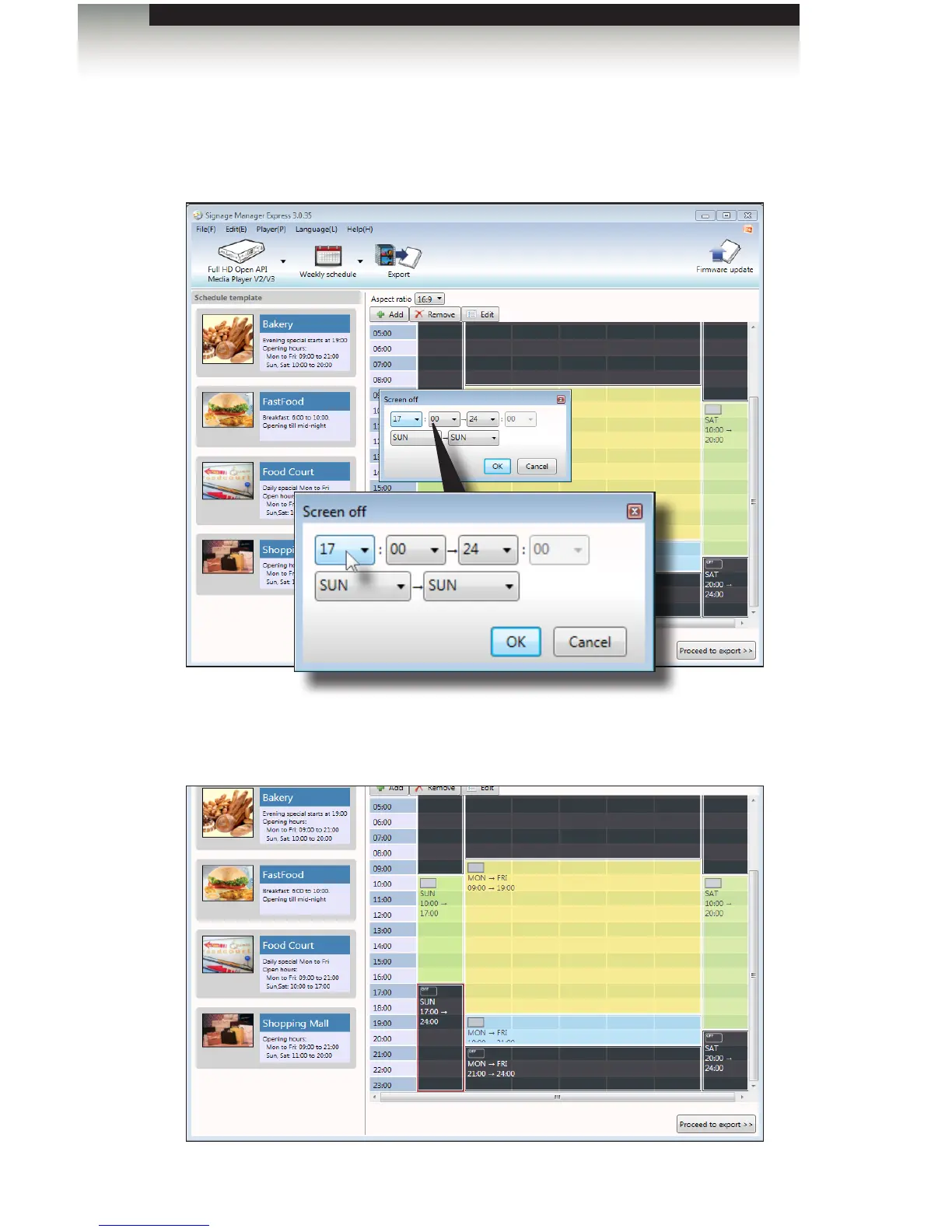
11. Click the Edit button to edit the time block.
12. Click the drop-down list, for the Screen-off start-time hour, from 20 (8:00 pm) to
17 (5:00 pm).
13. Click the OK button on the Screen off dialog to save the changes. The Screen-off
time block change will be reected in the scheduling area.



 To Next Page