16
PATTERN SUMMARY
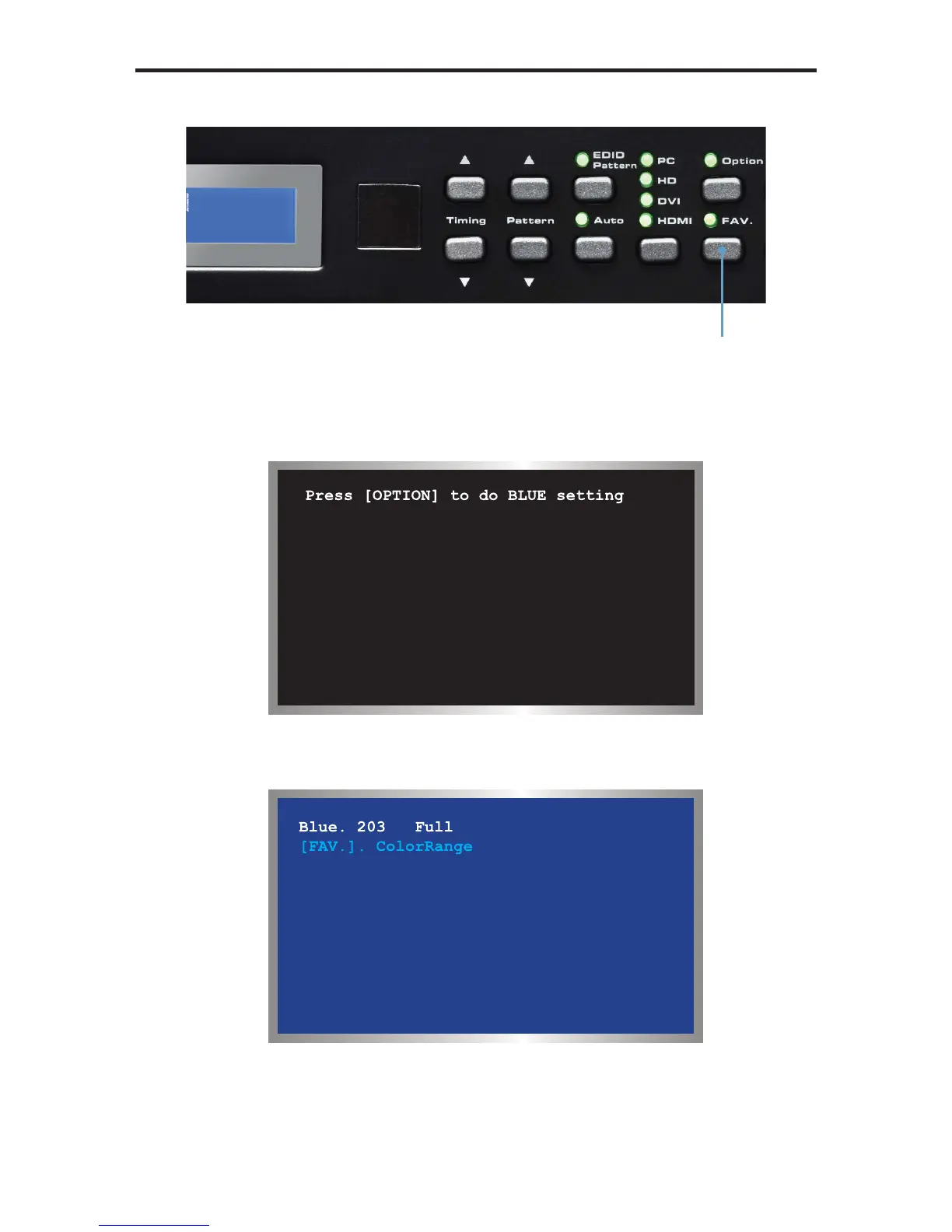
When using Pattern 09 - Pattern 12, a black screen will be displayed, fi rst. Use the
[OPTION] to enable to the pattern. The Blue Pattern (P11) is illustrated below:
The BLUE Setting pattern (P11) with blue level at 203 and set to the Full color
range setting using the [FAV] button:
Pattern 13 (P13) will appear as a white screen and can only be controlled using
RS-232. See page 46 for more information.
Switch between full
and limited color range



 To Next Page