45
HD PATTERN SIGNAL GENERATOR SOFTWARE
Selecting the Pattern
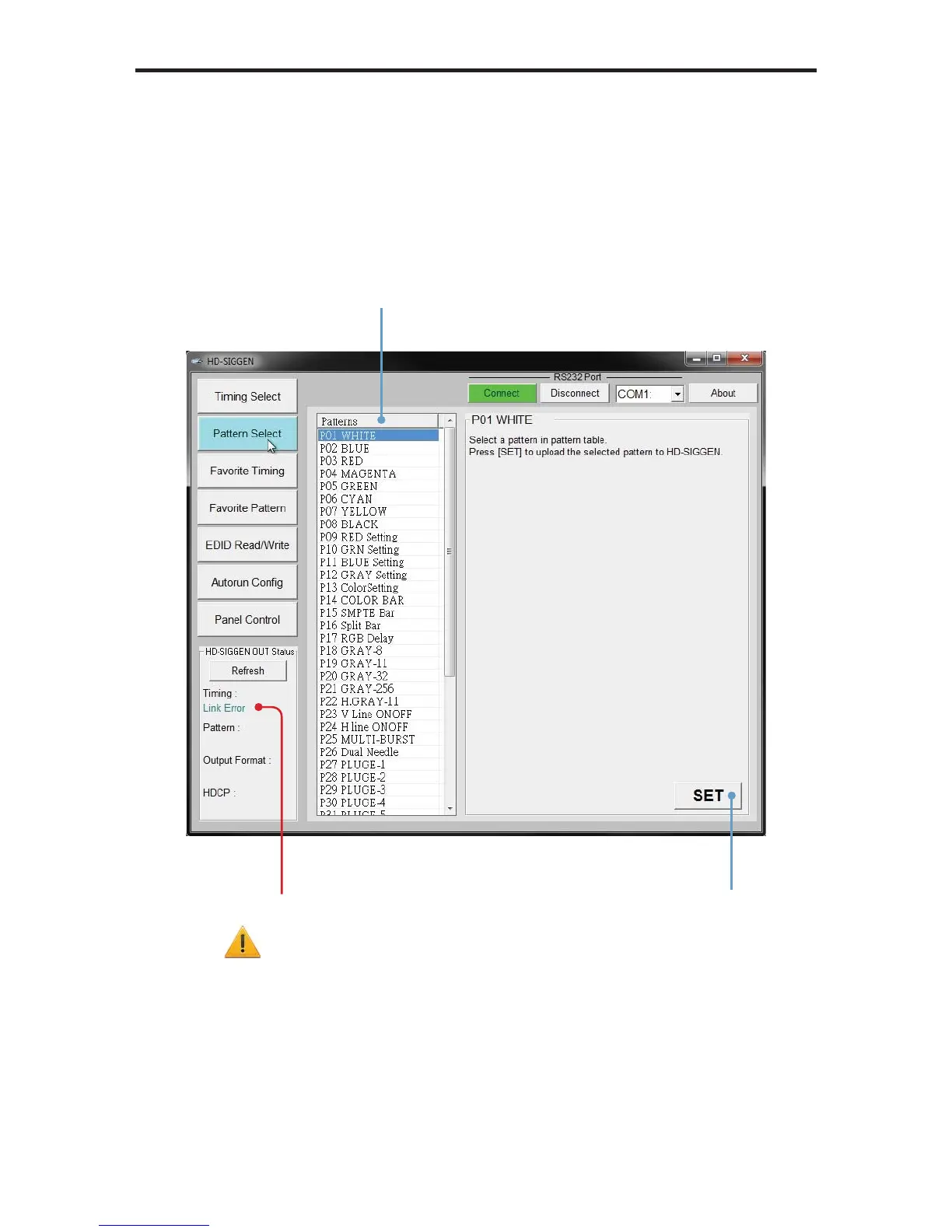
1. Use the Pattern Select button to select the desired pattern.
2. Press the SET button to enable the pattern.
Click the SET button
to enable the pattern
A “Link Error” message caused
by the Refresh button not being
pressed after connecting to the
HD Pattern Signal Generator.
Click Refresh to update the
information.
Select the pattern
in the Patterns window


 To Next Page