17
PATTERN SUMMARY
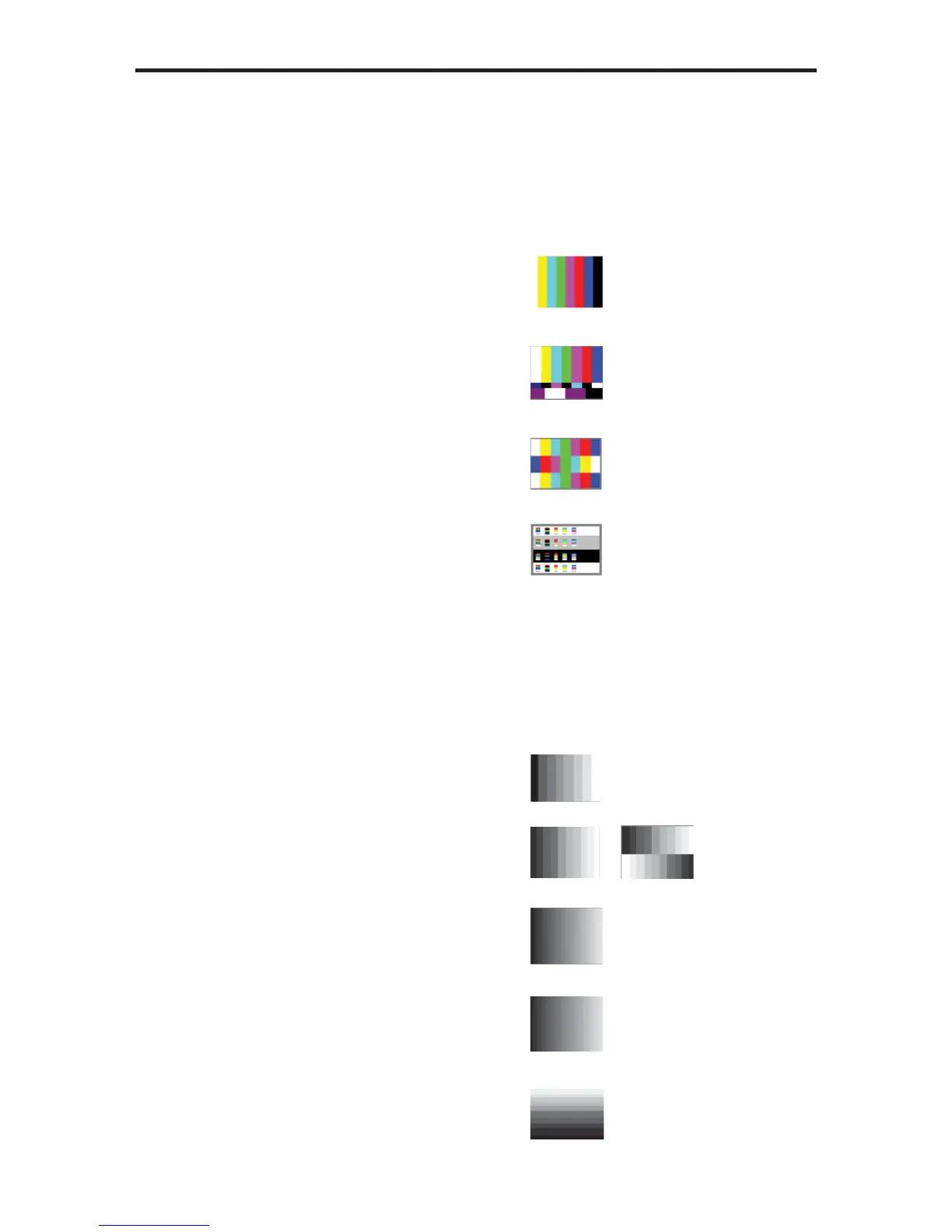
Color Bars
Pattern 14 - Pattern 17 (P14 - P17)
There are four different color bar patterns. Use the [OPTION] button on Pattern 14
(P14) and Pattern 16 (P16) to switch between 75 IRE (Option LED indicator OFF)
and 100 IRE (Option LED indicator ON).
P14 Color Bar
P15 SMPTE Color Bar
P16 Split Bar
P17 RGB Delay
Gray Scale
Pattern 18 - Pattern 22 (P18 - P22)
Gray scale patterns can be used to locate faulty linearity of the video amplifi er or gray
scale settings. Use the [OPTION] button on Gray-11 (P19) to alternate between the
two patterns. Option LED indicator OFF = Vertical Pattern, ON = Cross Pattern.
P18 Gray-8
P19 Gray-11
P20 Gray-32
P21 Gray-256
P22 H.Gray-11


 To Next Page