44
HD PATTERN SIGNAL GENERATOR SOFTWARE
Selecting the Timing
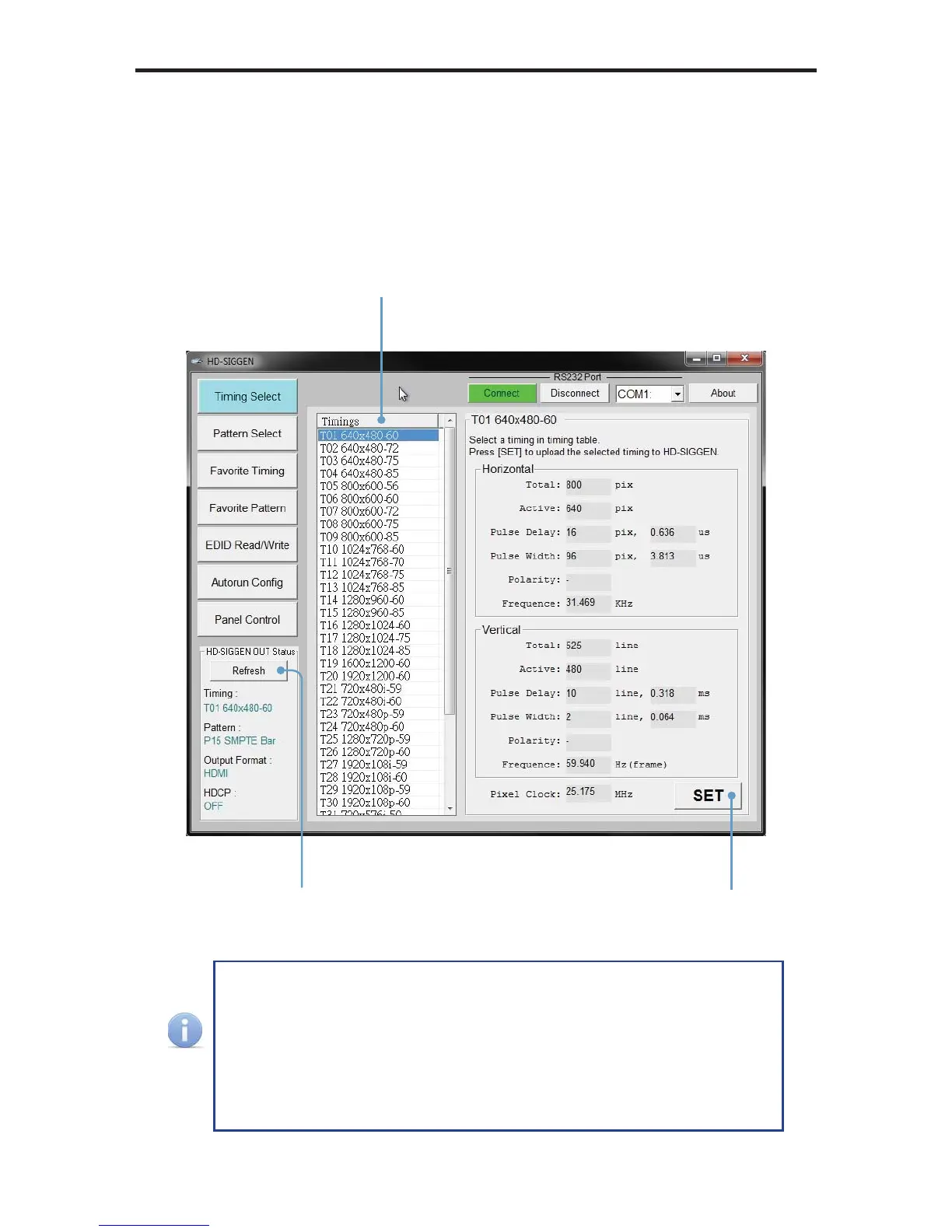
1. Use the Timing Select button to select the timing / resolution of the output
signal.
2. Press the SET button to set the timing.
After changing a timing, pattern, the output format, or toggling HDCP,
make sure to press the Refresh button on the left side of the window.
The HD-SIGGEN Status window is not automatically updated, even
if a change has been made through the software or using the front
panel. Clicking the Refresh button will retrieve the current settings
from the HD Pattern Signal Generator. Otherwise HD-SIGGEN
Status window will display “Link Error”.
Click the SET button
to enable the timing
Retrieves the current
settings
Select the timing
in the Timings window


 To Next Page