46
HD PATTERN SIGNAL GENERATOR SOFTWARE
Unique Patterns
Pattern 13 (ColorSetting) and Pattern 41 (Motion) can be selected from the top
panel buttons on the HD Pattern Signal Generator. However, they provide addi-
tion parameters which can only be modifi ed using the HD-SIGGEN software.
Color Setting
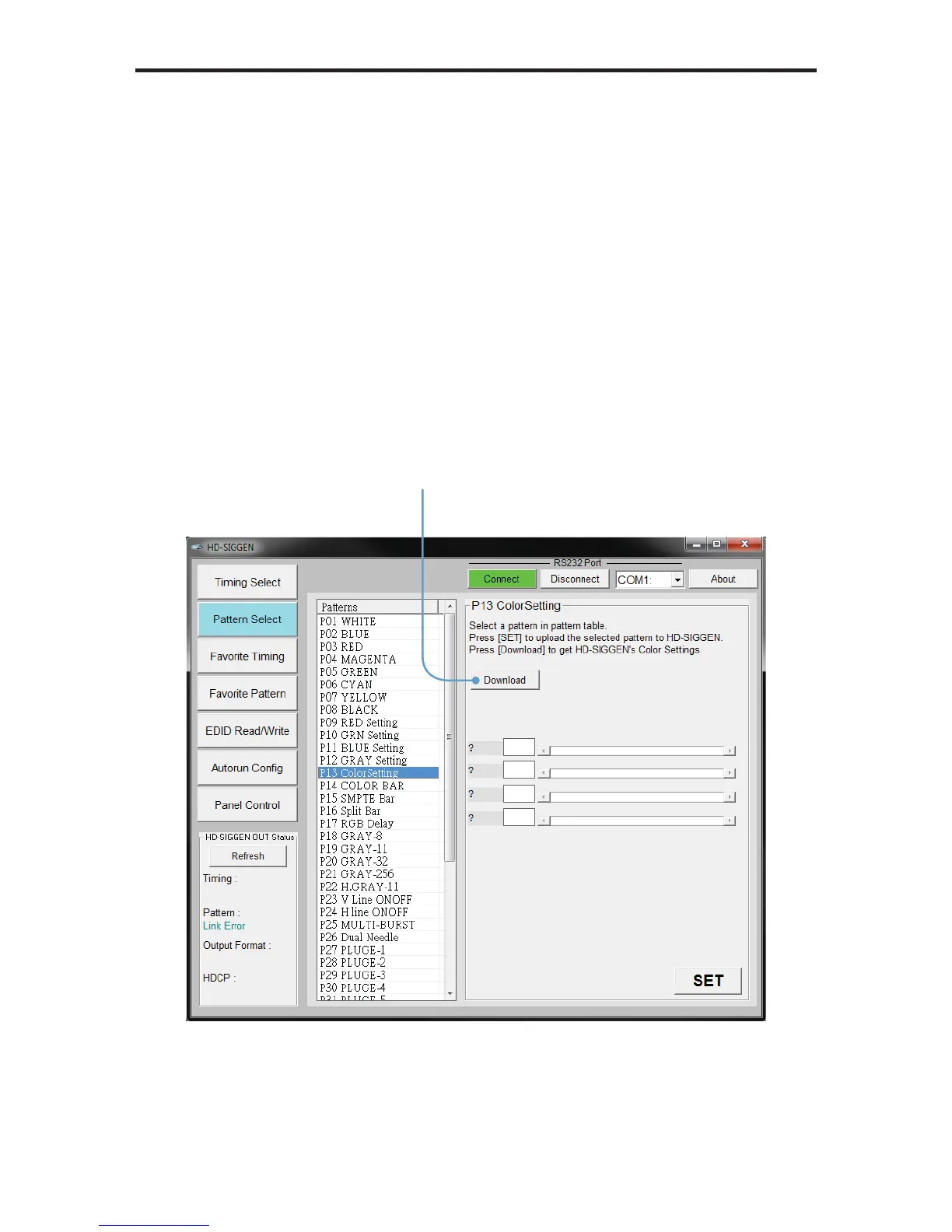
1. Select the ColorSetting pattern (P13).
2. Press the Download button to retrieve current color settings of the
ColorSetting pattern.
Click the Download
button to retrieve the
current color settings


 To Next Page