69
HD PATTERN SIGNAL GENERATOR SOFTWARE
Writing EDID to a Sink
After an EDID has been read from another source or loaded from a fi le, the
EDID can be written to the sink connected to the output of the HD Pattern Signal
Generator.
Overwriting the EDID of a sink device may cause unwanted results.
Be sure to save a copy of the EDID. This will allow the sink’s EDID
to be restored if necessary. Also note that not all device EDID data
structures can be overwritten. If the sink cannot be programmed
with a new EDID, the WRITE process will fail.
1. Load an EDID into the HD Pattern Signal Generator by following the
instructions starting on page 65.
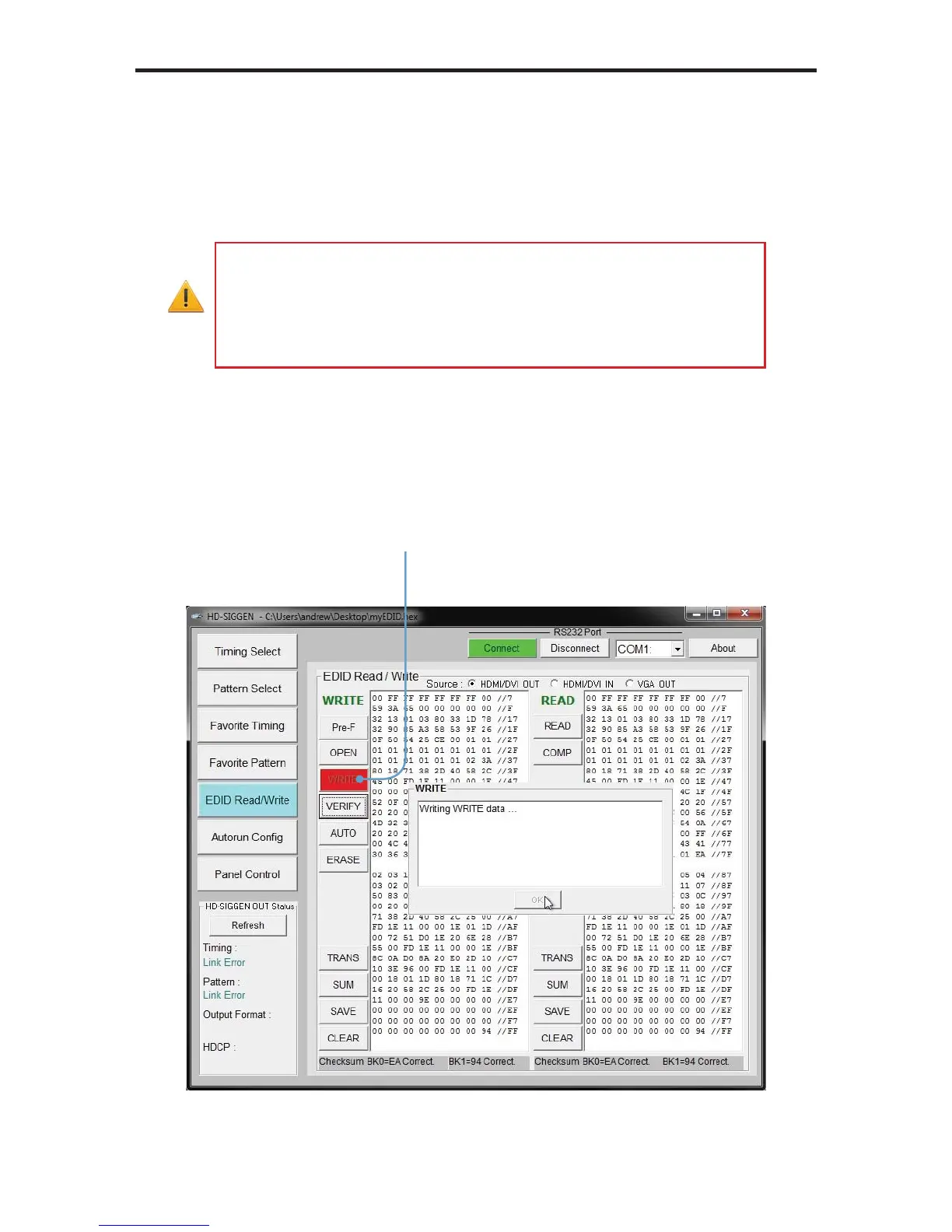
2. Click the WRITE button to write the EDID to the sink device.
Click to write the EDID
data to the sink device


 To Next Page