67
HD PATTERN SIGNAL GENERATOR SOFTWARE
Comparing EDID Data
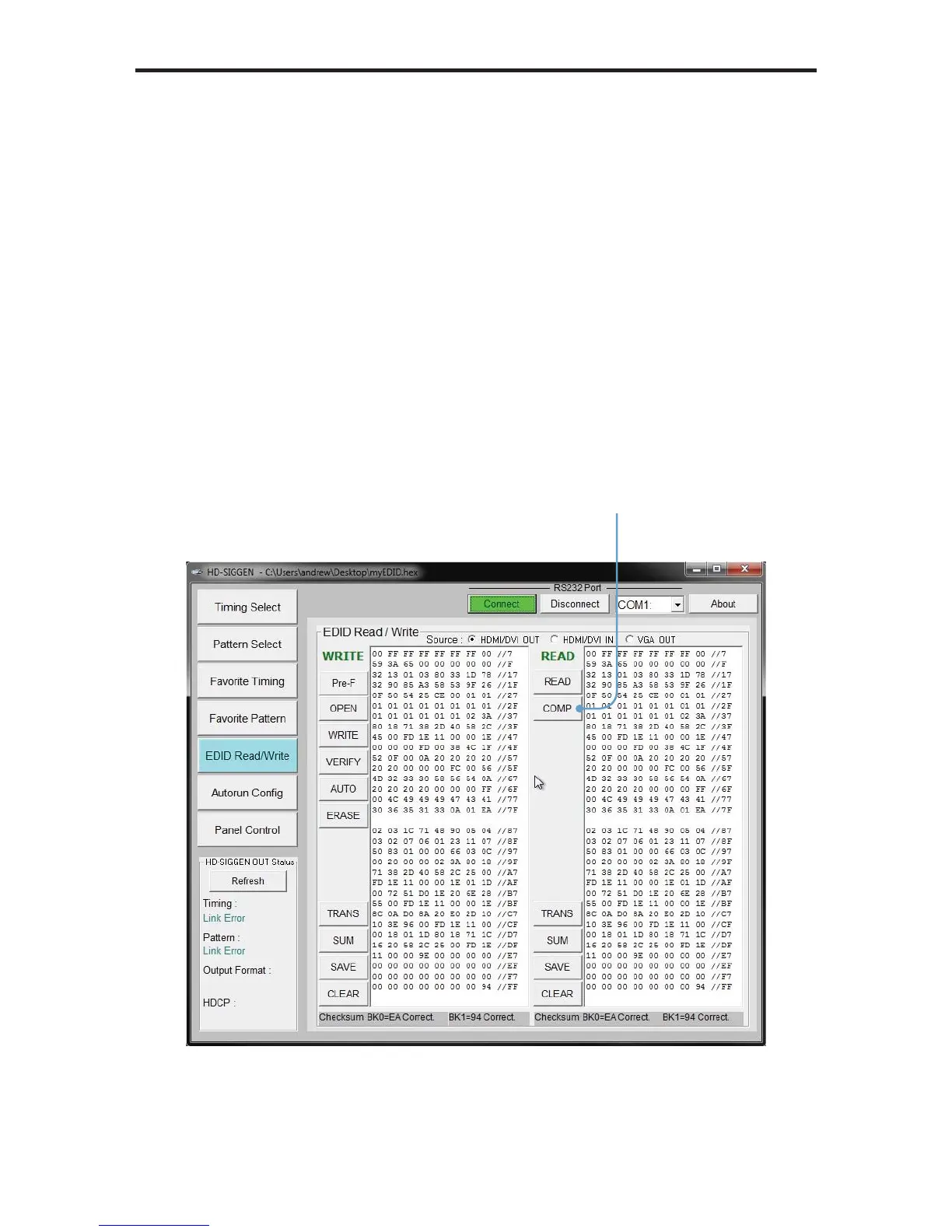
The HD Pattern Signal Generator software can compare two EDID data
structures. One EDID is read from a sink (display, A/V receiver, etc) and the
other is loaded into the HD Pattern Signal Generator software using the OPEN
function.
1. Read the source EDID by following the instructions starting on page 52.
2. Load an EDID into the HD Pattern Signal Generator by following the
instructions starting on page 65.
3. Click the COMP button under the READ panel.
Click the COMP button
to compare the two
EDID data structures


 To Next Page