59
HD PATTERN SIGNAL GENERATOR SOFTWARE
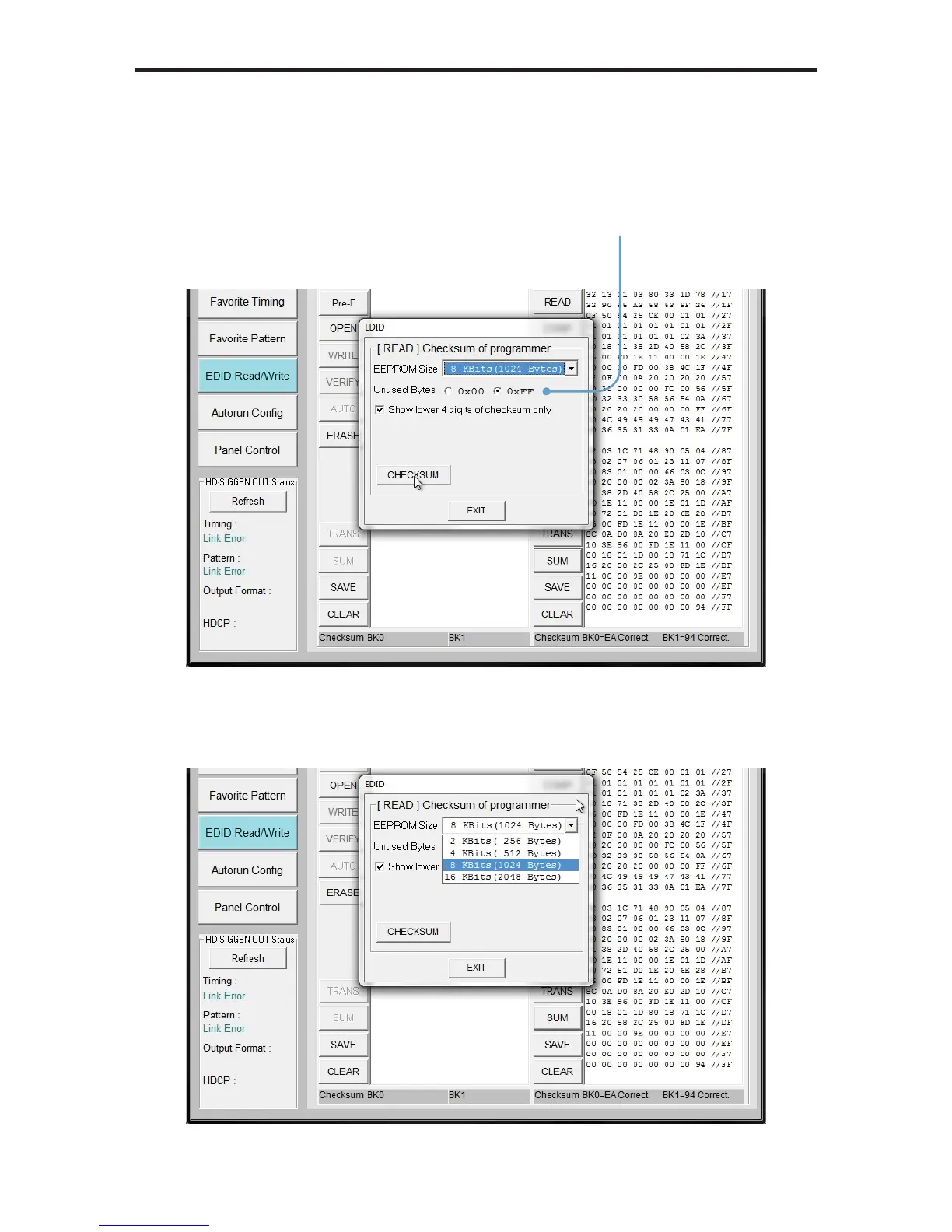
3. The EDID Checksum dialog will be displayed. Select the method of how
unused bytes will be calculated into the checksum by clicking either the 0x00
or 0xFF radio button.
4. Adjust the EEPROM size, if necessary, by selecting it from the EEPROM
Size drop-down list: 256, 512, 1024, or 2048 bytes.
Select how unused bytes
will be used in calculating
the checksum


 To Next Page