Getting Started
To start using the RP1100 for the first time:
Install a microSD card (optional)
Install the SIM card
Install the main battery.
Charge the RP1100.
Power on the RP1100.
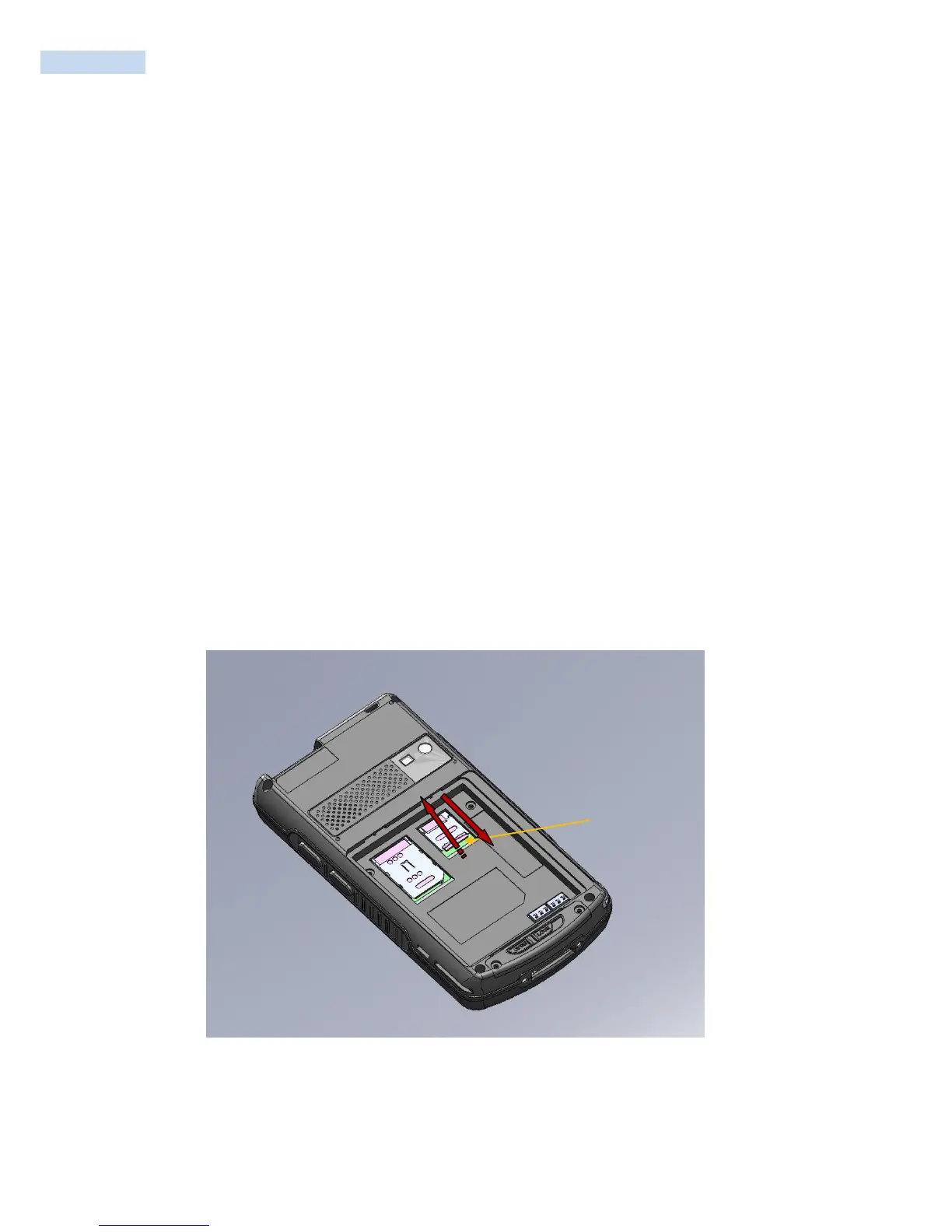
Installing a microSD Card
The microSD card slot provides secondary non-volatile storage. The slot is located under the battery pack.
Refer to the documentation provided with the card for more information, and follow the manufacturer‟s
recommendations for use.
CAUTION Follow proper ESD precautions to avoid damaging the SD card. Proper ESD precautions include,
but are not limited to, working on an ESD mat and ensuring that the operator is properly grounded
To install the microSD card:
1. Slide the microSD card holder door up to Open.
2. Lift microSD card holder door.
3. Insert the microSD
4. Close microSD card holder door and slide down to lock into place.
5. Install the battery.



 To Next Page