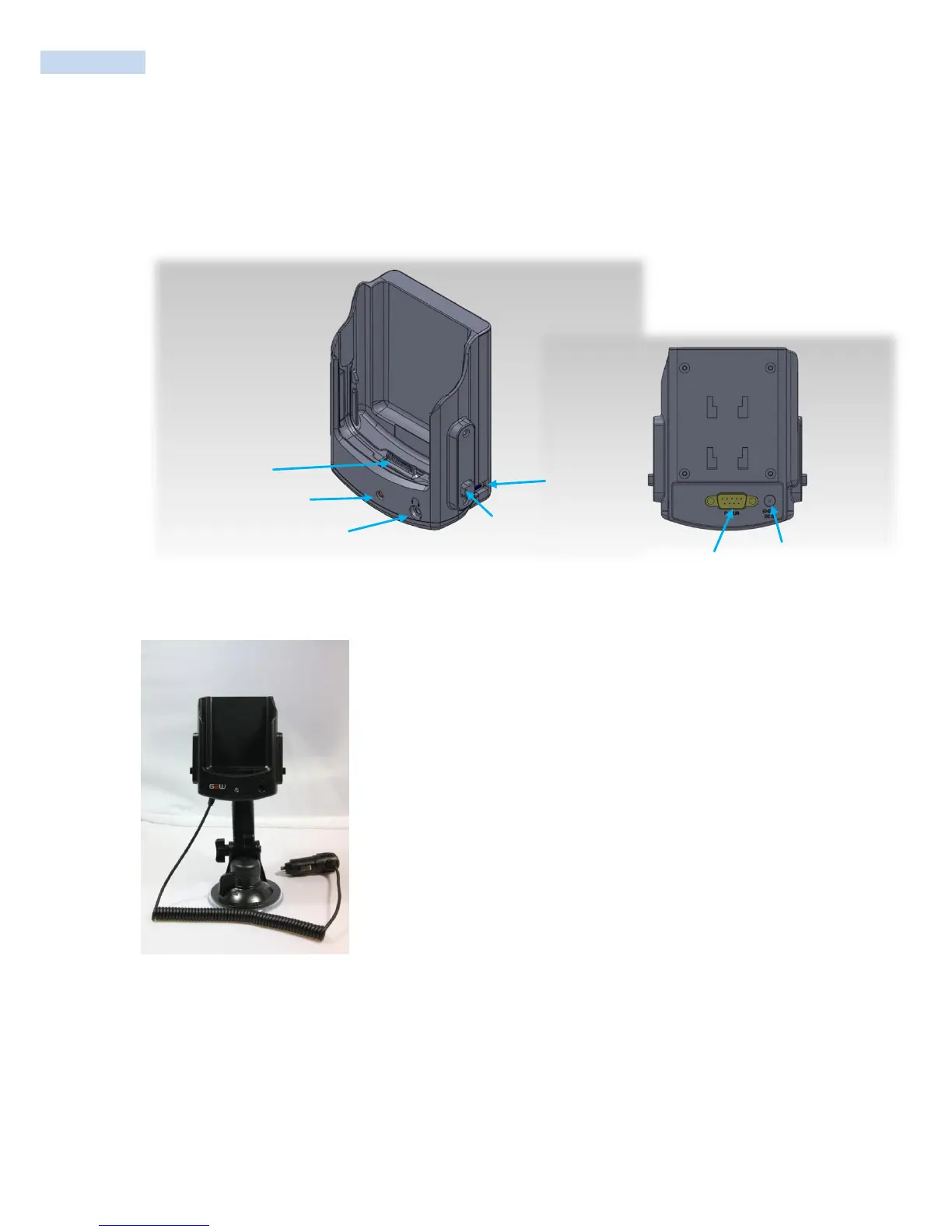
Vehicle Cradle
This guide will help you on basic usage of the product. Please check if all the contents shown below are
nearby for use. RAM Mount and Cigar Jack are needed for installing and charging.
(INPUT: DC 12~24V Max 2A / OUTPUT: DC 5V Max 3A)
1. I/O Connector: Used for data communication with PDA and changing.
2. Power LED: Connection status of the Cigar Jack. Note that the LED on the
PDA will show the charging status of PDA.
3. Ear-mic jack: Ear-mic connection.
4. Release Button: Press and hold to slide out PDA from Vehicle Cradle.
5. USB Host: Used for USB device.
6. RS232 Serial Port (Optional): This RS232 port enables serial
communication. Use COM6.
7. DC Jack: DC Jack connector.
8. Joint Slot: Vehicle Cradle is joined to RAM Mount.



 To Next Page