32 10-1562 Issue 3-7 March 2014
Manual defrost and drain
If automatic defrost and drain is not used, the condenser should be defrosted and drained
manually. The term “manual defrost and drain” implies only that the cycle is started
manually, the evaporator then controls the defrost and drain sequence.
To ensure best possible performance, always defrost and drain after every use. The
maximum defrost period is approximately one hour and the defrosting process can be
observed through the transparent condenser pot lid.
To manually initiate a defrost and drain cycle from the evaporator SELECT RUN screen, use
the left / right cursor direction keys to highlight DEFROST and press the START button.
The defrost cycle will continue until the system senses that all solvent in the condenser pot is
liquid, or can be stopped manually by pressing the STOP button.
To drain liquid solvents from the condenser without going through the defrost cycle, select
DRAIN from the SELECT RUN screen.
Waste solvent container
Check the waste solvent container regularly and empty
when necessary.
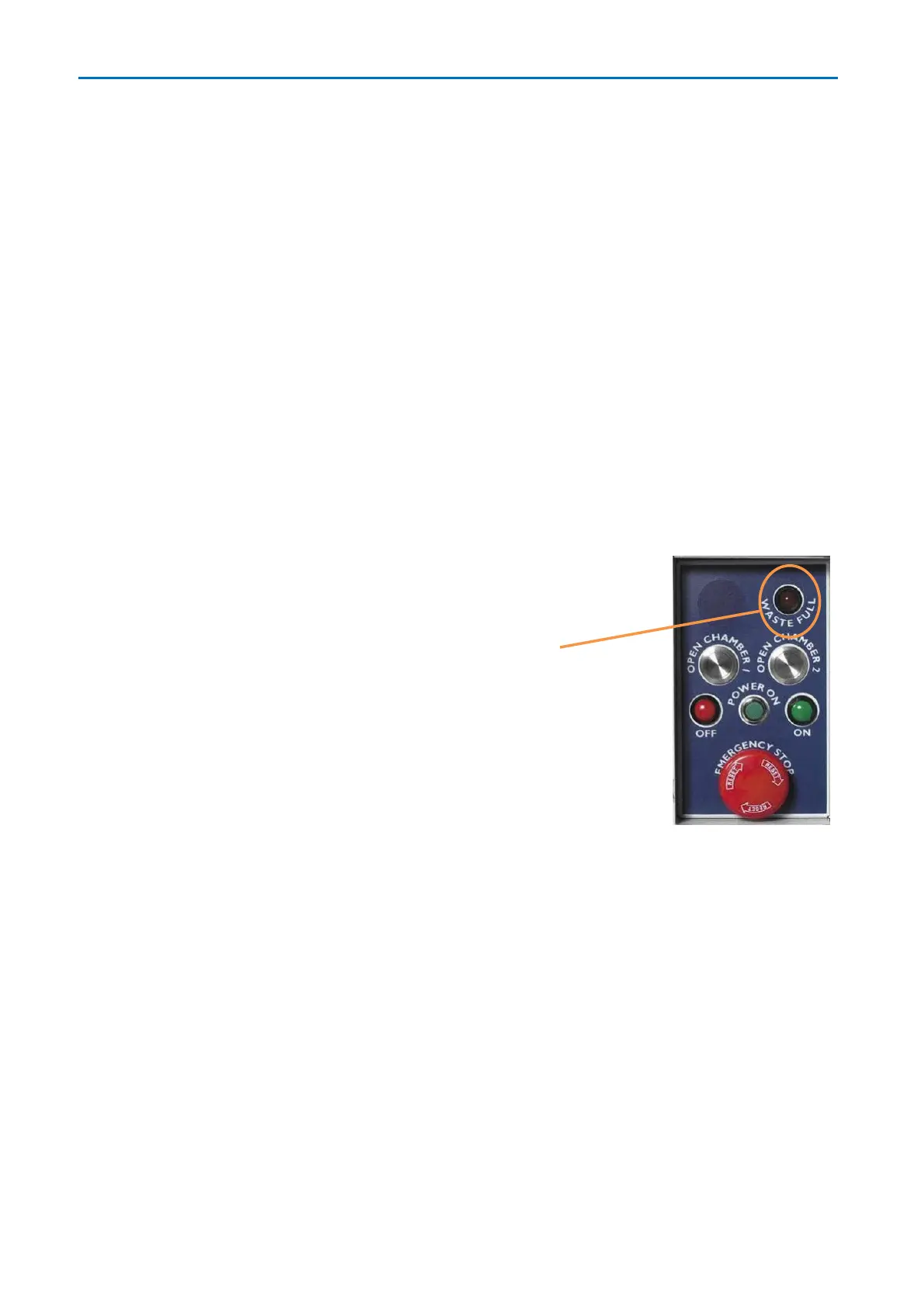
An alarm sounds when the waste solvent container is
full and the WASTE FULL indicator lights-up on the
workstation control panel. Whilst in this state, the
system will not allow an evaporation process to start.
Waste full detection is by weight, so smaller solvent
volumes may trip the waste full alarm when evaporating
dense solvents.
To empty, open the waste solvent container door, lift the
waste solvent container from its tray and place it on the
floor in front of the HT-24.
The waste solvent drain pipe will have either a quick release connector or a quarter turn
valve.



 To Next Page