EasyManua.ls Logo

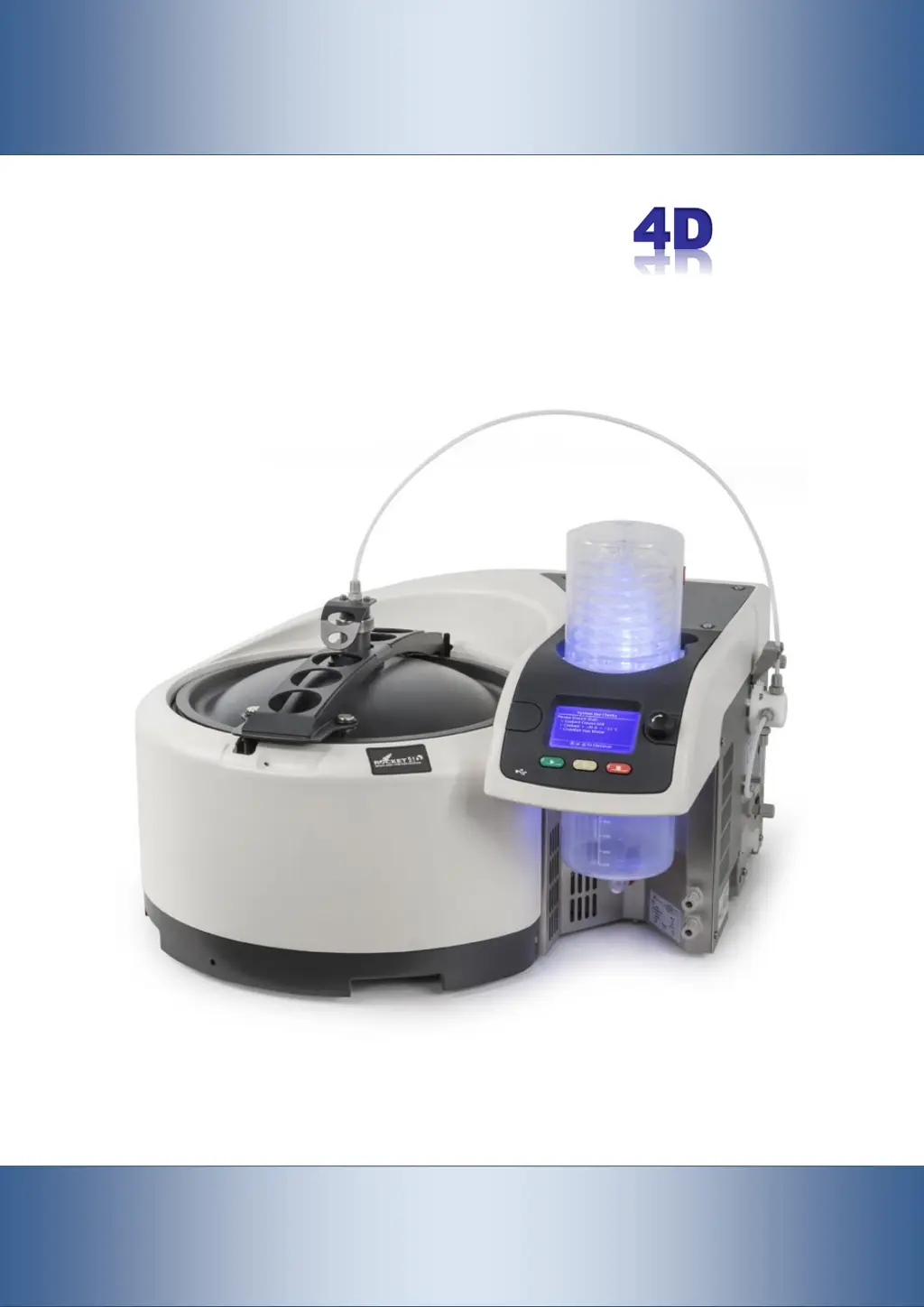
Genevac Rocket 4D - User Manual

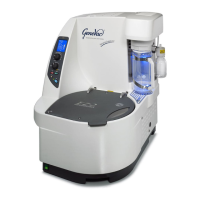
Genevac Rocket 4D
60 pages
Print Icon
To Next Page IconTo Next Page
Loading...
Genevac Rocket
4D
Evaporation System
User Manual
Original instructions
Part number 04-7848 Issue 2-4 August 2014

Table of Contents

Questions and Answers

  • J
    Janice WarrenAug 2, 2025
    Why are the evaporation times excessive with my Genevac Rocket 4D Laboratory Equipment?
    • R
      Robert MendezAug 2, 2025
      Excessive evaporation times can occur due to a poor vacuum or vacuum integrity failure. To resolve this, run the System Test. Also, check the chiller is turned on and set to remote control mode. Verify the coolant supply pressure and temperature are correct, as poor condenser performance can also lead to extended evaporation times.
  • A
    Alexander MillerAug 6, 2025
    What to do if my Genevac Rocket 4D Laboratory Equipment has no vacuum?
    • M
      Mrs. Kylie CrossAug 6, 2025
      If there is no vacuum, check that the power is connected to the pump and that the pump is switched on.
  • W
    William ClarkAug 11, 2025
    Why is there excessive solvent odour from my Genevac Rocket 4D Laboratory Equipment?
    • C
      Charles BerryAug 11, 2025
      Excessive solvent odour may occur if the method does not include an Odour stage. To address this, enable 'Reduce Odour' via the Method Edit screen.
  • R
    Richard OrtizAug 15, 2025
    What to do if my Genevac Laboratory Equipment evaporator stops before the product solution reservoir is empty (Feed mode only)?
    • J
      Juan MunozAug 15, 2025
      If the evaporator stops prematurely, consider the following: * Check that weights are attached to the ends of the feed hoses. * Ensure the ends of the feed hoses cannot form a seal against the reservoir's bottom or side. * Inspect feed hose connections for leaks, looking for air bubbles. * Check the feed hoses for kinks or obstructions.
  • B
    Brian FigueroaAug 19, 2025
    How to fix excessive vibration at start-up of Genevac Laboratory Equipment?
    • V
      vegavincentAug 19, 2025
      If you experience excessive vibration at start-up, it may be because the batch baffles are not fitted when operating in batch mode. Stop the evaporator, fit the baffles, and then restart the equipment.
  • K
    kellycraigAug 23, 2025
    What to do if Genevac Rocket 4D has excessive vibration during a run?
    • J
      Jacqueline DavisAug 25, 2025
      If excessive vibration occurs during a run, it might be because the feed baffle is not inserted when operating in feed mode. Stop the evaporator, remove the product solution from the evaporation vessel, insert the baffle, and restart.
  • J
    Jerome CummingsAug 28, 2025
    How to open a lid that is difficult to open on Genevac Rocket 4D Laboratory Equipment?
    • L
      Larry RamirezAug 28, 2025
      A lid that is difficult to open may be due to a dirty or contaminated outer lid. Clean the outer lid sealing face, clean the seal, or replace the outer lid seal.

Summary

System Overview and Basics

Key Components Identification

Identifies and describes the main parts of the Rocket 4D Evaporation System.

Power Up and Control Interface

Instructions for starting the system, using the control panel, and understanding the LCD screen.

Safety and Initial Setup

Safety Guidelines and Precautions

Outlines essential safety measures and specific hazard warnings for operating the system.

Getting Started Procedures

Step-by-step guides for initiating operation in batch and feed modes.

Lid, Baffle, and Vessel Handling

Procedures for operating the lid, fitting baffles, and managing the evaporation vessel.

Methods and Solvent Management

Method Guide and Selection

Overview of factory-loaded methods and how to select them.

Method Editing and Optimization

Instructions on adjusting parameters and optimizing methods for specific applications.

Acceptable Solvents

Lists solvents compatible with the evaporator and recommended methods.

Advanced Features and System Optimisation

File Transfer and System Options

Managing data, updating software, and configuring system settings.

Optimising Evaporation Performance

Adjusting parameters for condenser, coolant, and process control (Delta T).

Maintenance and Troubleshooting

Routine Maintenance Practices

Routine checks, cleaning, and general upkeep of the system.

System Testing and Error Resolution

Performing system tests and rectifying common errors and operational issues.

Consumable Part Replacement

Information on replacing parts like lid seals and rotary joint seals.

Technical Data and Support

Specifications and Electrical Details

Detailed technical specs, power requirements, and connection details.

Warranty, Service, and Ordering

Information on product warranty, returning equipment, ordering parts, and amendments.

Genevac Rocket 4D Specifications

General IconGeneral
BrandGenevac
ModelRocket 4D
CategoryLaboratory Equipment
LanguageEnglish

Related product manuals