Rocket 4D Evaporation System
04-7848 Issue 2-4 August 2014 9
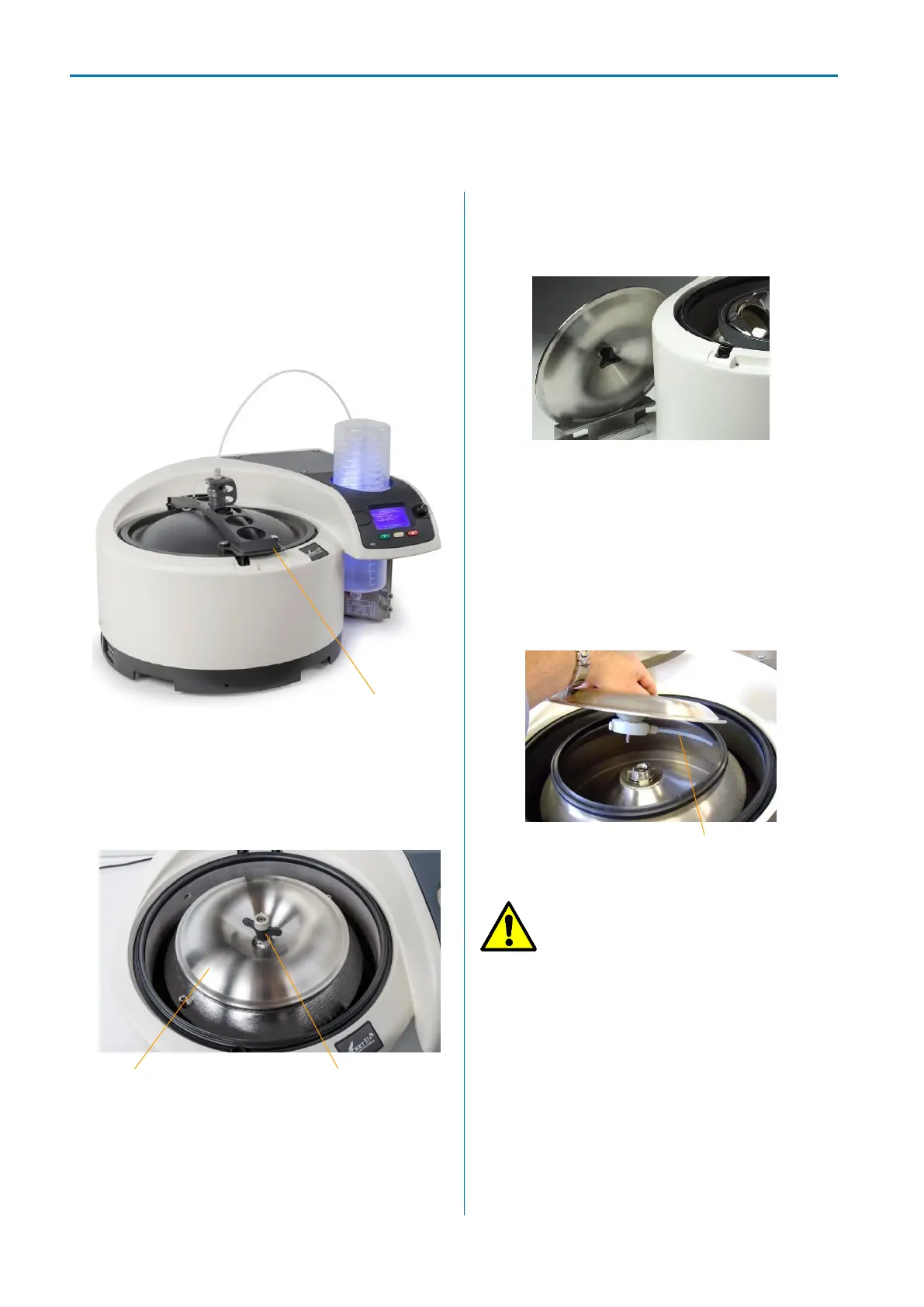
Using the handle, manually lift the lid to the
fully open position.
Note: The main lid cannot be opened when
the power is switched off or when the
evaporator is operating.
Lift handle to open lid
Turn the thumb screw counter clockwise and
lift the inner lid away from the evaporation
vessel.
Inner lid thumb screw
A lid stand provides safe storage for the lid
while samples are being loaded or
unloaded.
Lid stand
To refit the inner lid, lower it onto the
evaporation vessel hub, making sure the
feed tube is inserted under the rim of the
evaporation vessel. Tighten down the
thumb-screw until light resistance is felt,
then tighten a further 1½ turns.
Feed delivery tube
Caution: Do not over tighten
the inner lid thumb screw.
Manually close the main lid and press
down firmly to ensure it seals.
Note: Should an error message relating to
vacuum appear (see: Troubleshooting,
Error messages) when the evaporator is
started, check the lid and inner lid are
properly fitted. Push down on the back of
the lid to ensure it is fully seated all the
way round.



 To Next Page