Rocket 4D Evaporation System
04-7848 Issue 2-4 August 2014 7
Controls
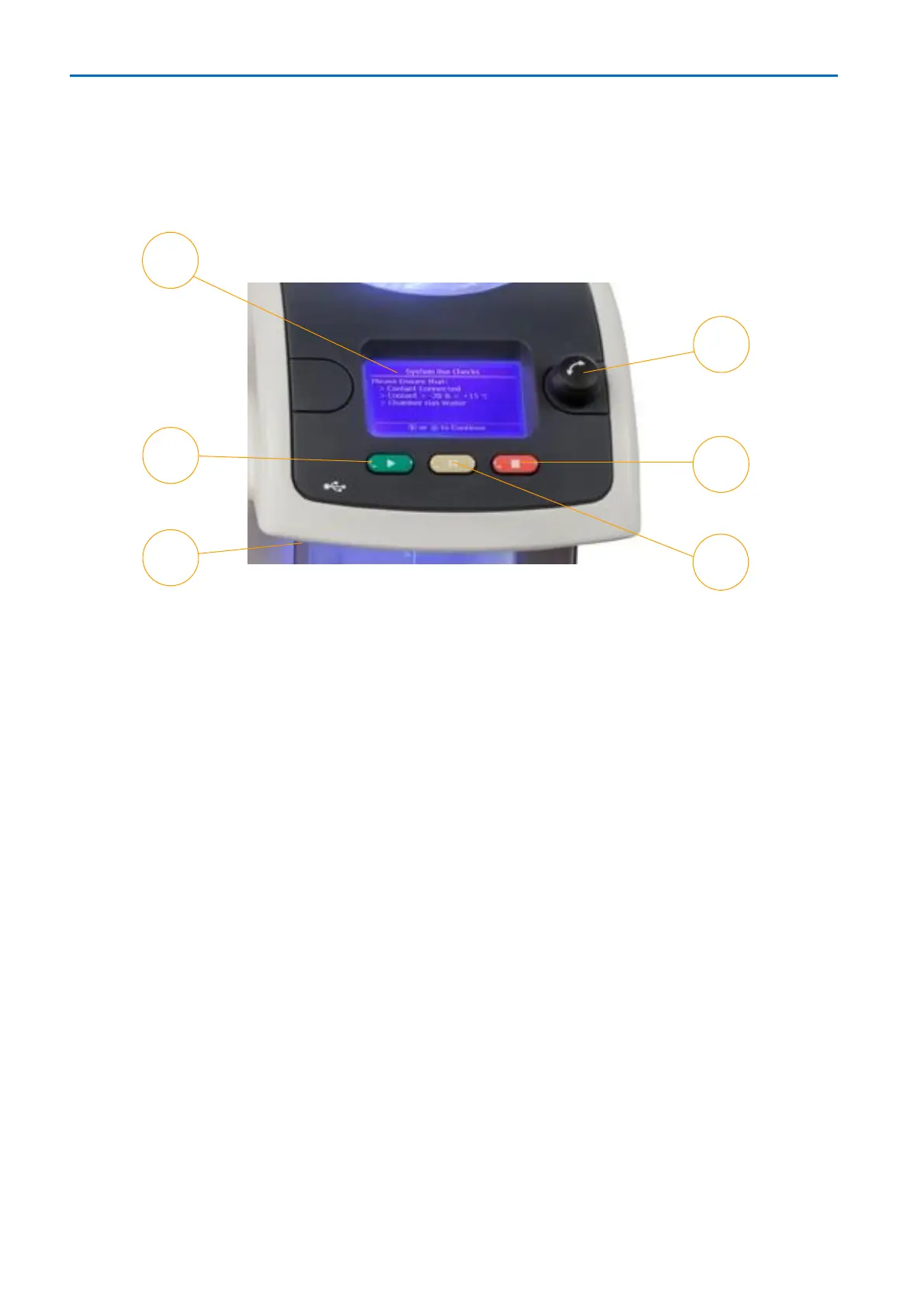
Menu screens interact with the controls for programming, selecting methods and
operating the evaporator.
1. Screen: Menus allow quick access to everyday functions for method selection and
alteration, and an intuitive guide to advanced features. At-a-glance system status
information is shown during the evaporation process.
2. Start button: Press to start the evaporator using the highlighted method.
3. USB port: (Below the control panel.) Plug in a USB mass storage device (data
key) to copy methods to or from the Rocket or to transfer data log files from the
Rocket. Software updates may also be transferred via data key.
4. Pause button: Press to temporarily interrupt the evaporator, evaporation may be
resumed later.
5. Stop button: Press to stop the evaporator.
6. Select control: Turn to highlight options in menus on the screen, press to select
the highlighted option.



 To Next Page