Rocket 4D Evaporation System
6 04-7848 Issue 2-4 August 2014
Basics
Power up
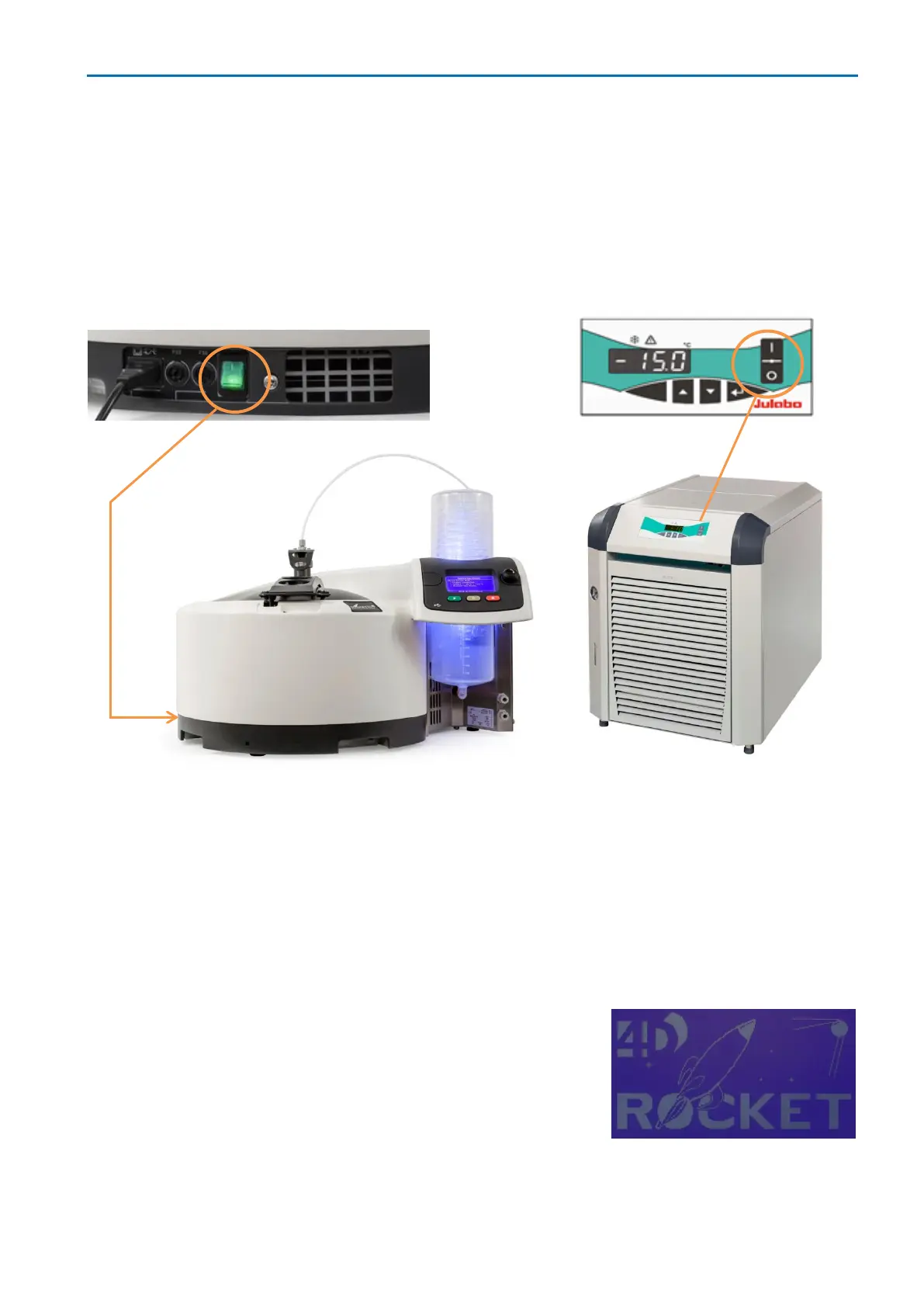
Before switching on, check that power cables are connected (two to the rocket 4D and one
to the re-circulating chiller) and all other cables and hoses are connected as shown in:
Service connections. Switch on the Rocket4D power switch and switch on the chiller.
After a short boot-up sequence, the Method Select menu appears on the Rocket4D
screen. If Commissioning or Sys use check lists appear, follow the instructions and
press the select control to confirm each check is completed (check lists can be enabled or
disabled in the Options menu).
Note: After switching off, wait at least 10 seconds before powering up again. Repeated
switching off and on should be avoided where possible.
Standby mode
While the Rocket4D is idle, press the stop button to enter
standby mode. The screen brightness reduces (the
Rocket4D logo and software version are shown) and all
other systems are powered down.
To restart, press any button.



 To Next Page