English
-46-
Menu Mode
When the menu appears on the LCD display, the SET (Menu) button
is used to move through the highlighted items in the submenu or to
select a menu item.
Menu options of Movie Clip Mode
When in Movie Clip mode, press the SET(Menu) Button to show the
Movie options menu.
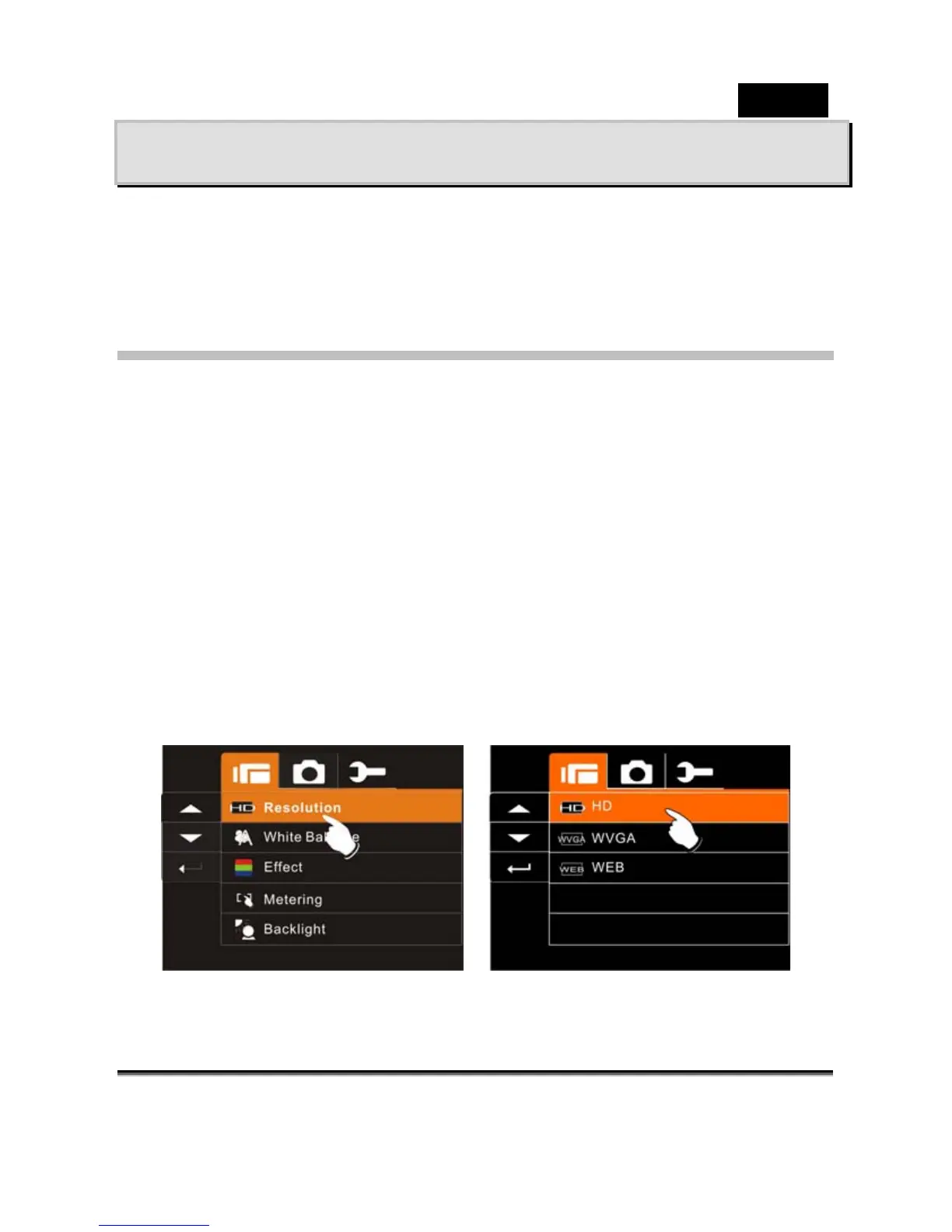
Movie Clip Resolution
1. Turn on the Digital Video Camera and make sure it is in the DV
Mode.
2. Press SET (Menu) Button and press the 4-Way Direction
Button to highlight the Resolution item. Press SET (Menu)
Button to display submenu; or touch the screen to select the
item.
3. Press 4-Way Direction Button to select HD, WVGA or WEB.
Press SET (Menu) Button to confirm; or touch the screen to
select the item.



 To Next Page